
Web Clipper extensions are popular productivity tools, making it easy to capture, organize, and save online content for future reference.
I think everyone should have a web clipper in their browser to save interesting articles to read later. I’ve personally tested and reviewed a variety of web clipper extensions available on the Google Chrome Web Store to make your decision of picking the right one easier.
If you used Edge’s built-in Collections as your clipper, Microsoft removed it in Edge 149. Here’s how to get your Edge Collections back or move them somewhere else.
Full disclosure: Tooltivity, which this article links to, is run by my company — the same one that makes Web Highlights.
Here are my favorites:
List of the Best Web Clipper Chrome Extensions
- Web Highlights
- Matter
- Raindrop.io
- OneNote Web Clipper
- Notebook Web Clipper
- Joplin Web Clipper
- Save to Notion
- Obsidian Web Clipper
- Milanote Web Clipper
- Evernote Web Clipper
1. Web Highlights
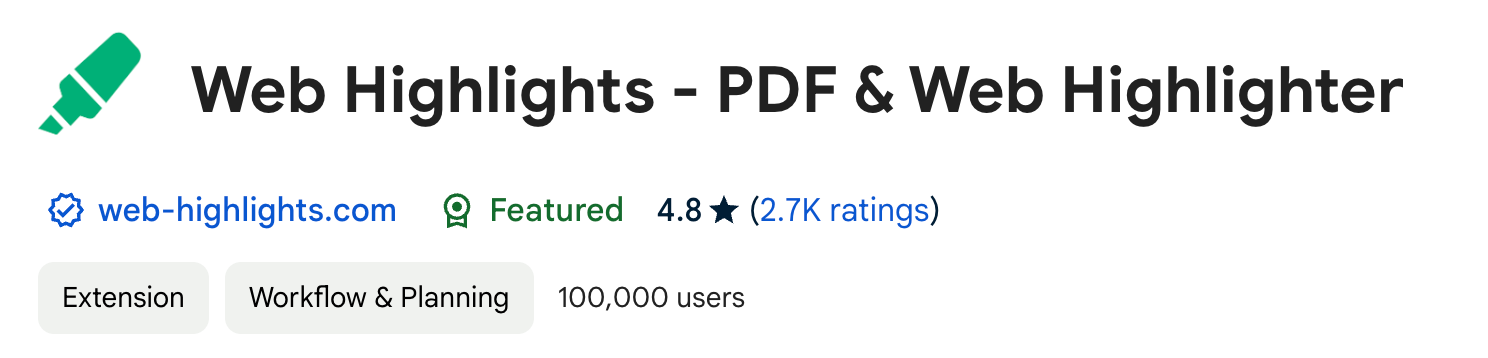
This PDF & Web Highlighter Chrome Extension isn’t directly a web clipper, but it offers all the core features you’d expect from one.
The fact that Web Highlights solves the web clipping functionality even better than other popular solutions and at the same time offers many super practical features makes it by far my favorite web clipper browser extension.
Just open its sidebar, click the bookmark icon, and the page is added to your website collection.
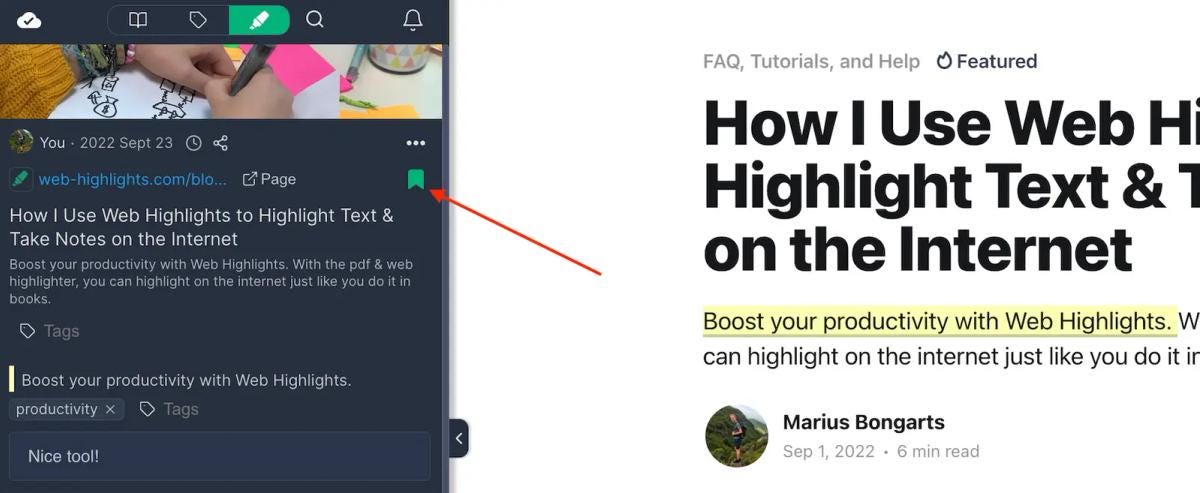
It saves websites directly in the sidebar, complete with metadata like titles, descriptions, images, and more.
If you created an account, it also gives you a nice dashboard in their web app that you can access from anywhere.
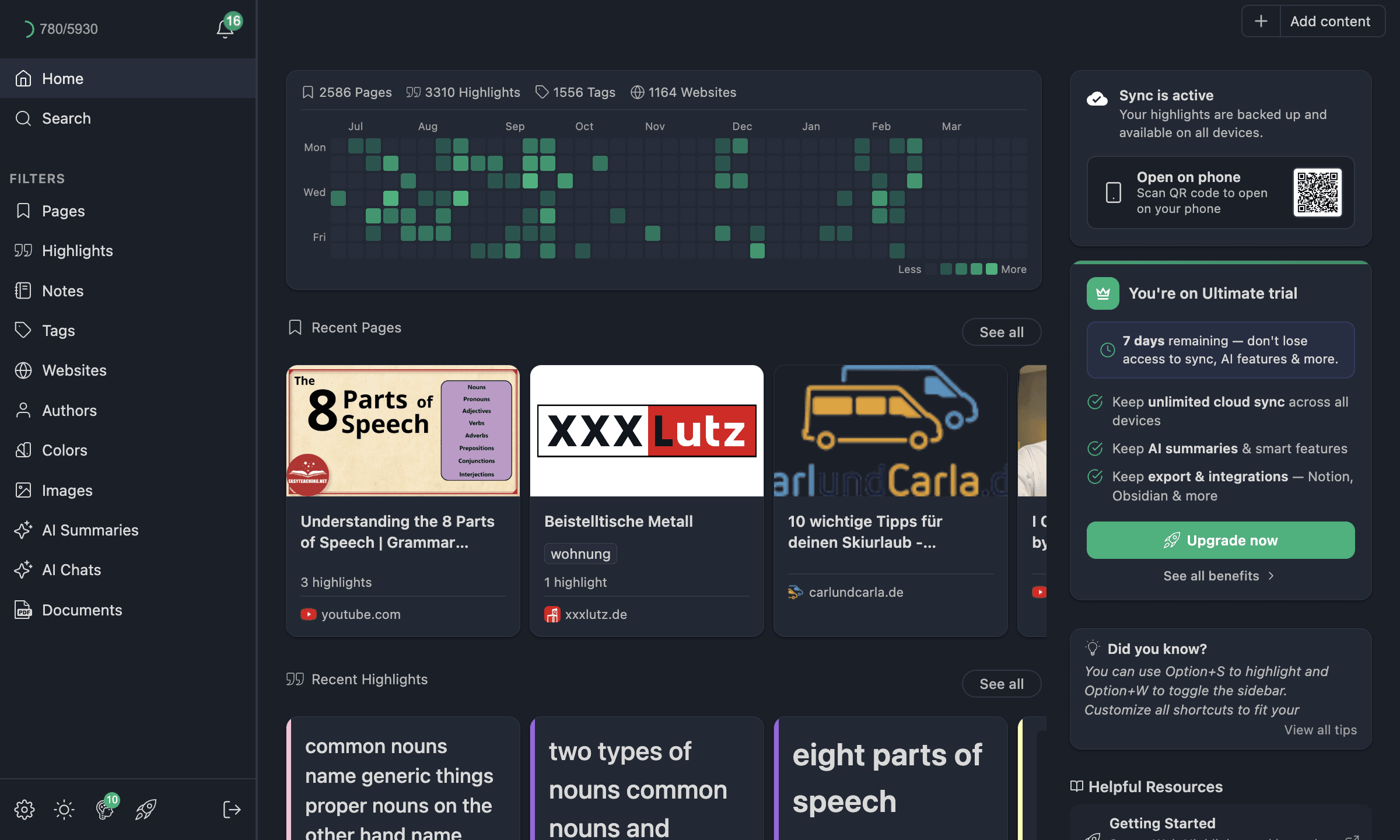
Here is that flow on video, from the bookmark icon to the dashboard, in about 40 seconds:
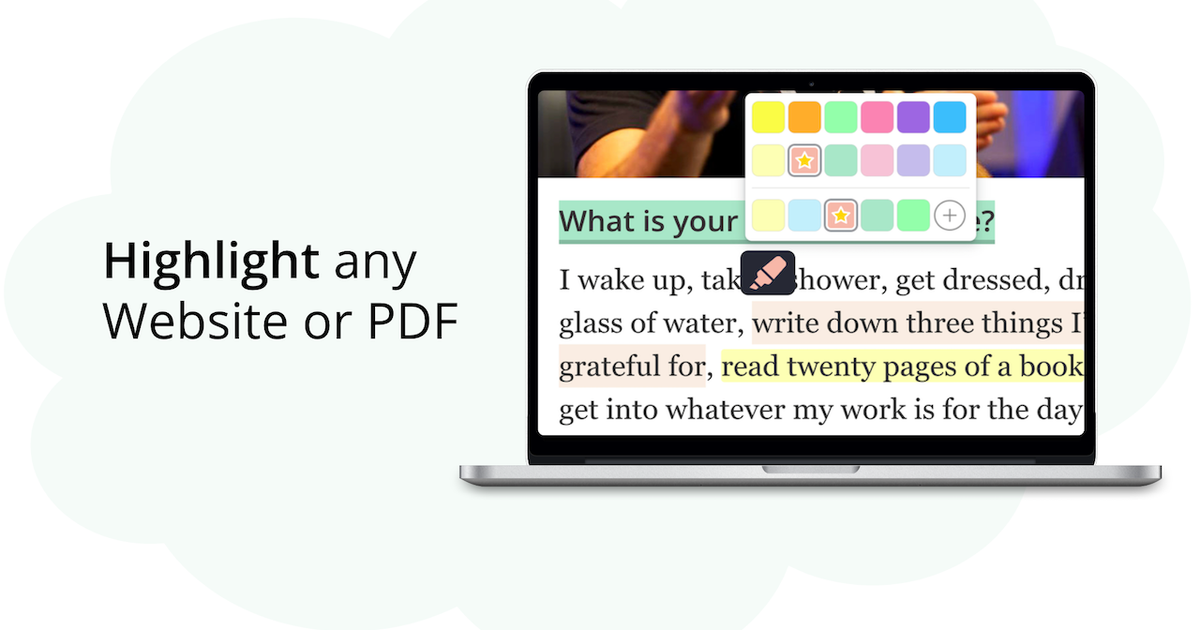
Web Highlights is fantastic because it lets you not only take notes on saved websites, but also highlight text directly on the page:
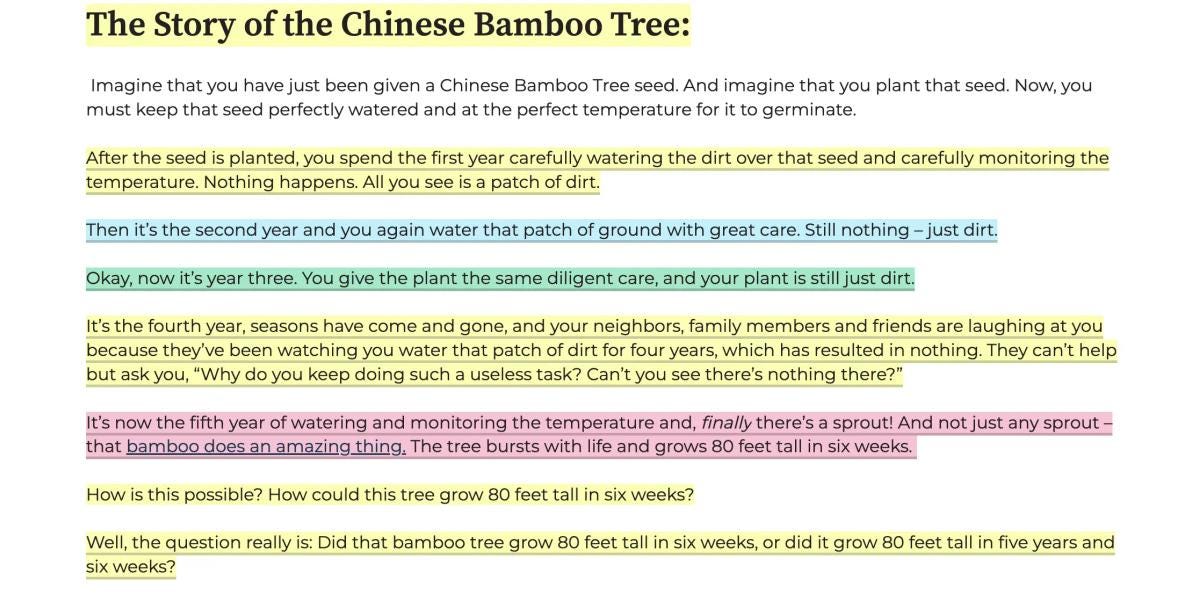
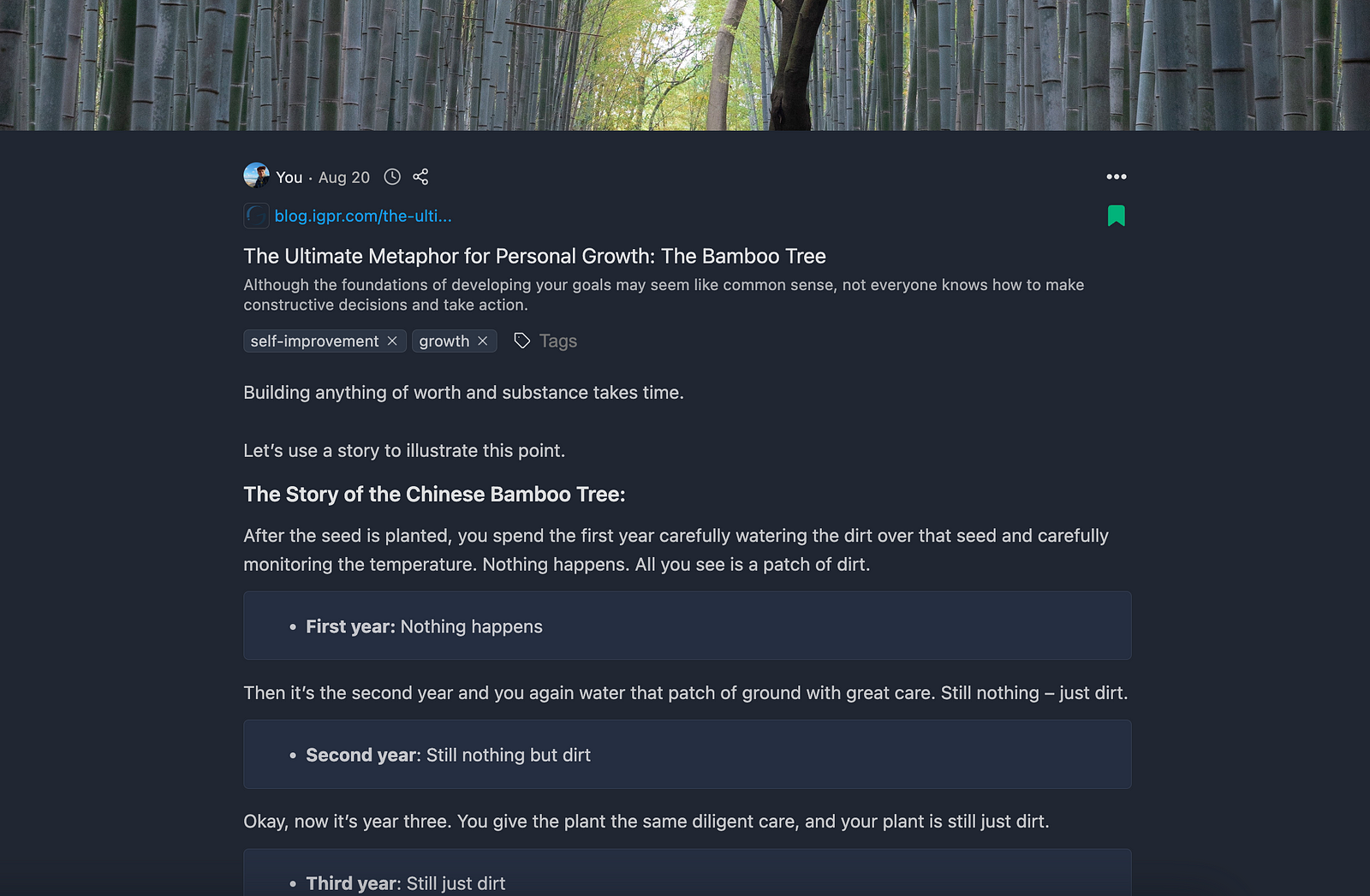
Your highlights and notes then get added to your saved content. And you can also find them in your dashboard.
Here is how this looks like:
Tooltivity gave Web Highlights an outstanding score of 9.8 out of 10.
Check out their full review here :

One thing worth adding here: if the reading part matters more to you than the filing part, we also build Reader Mode + Notes & AI Summary . It strips a page back to clean text and keeps a full offline copy you can still open years later, even if the original disappears. AI summaries, highlights, tags and Notion export need no account. It is new and still small — around a thousand users — so I mention it as a companion to the list rather than a contender on it.
2. Matter
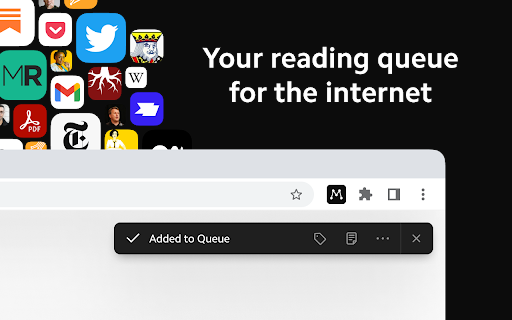
Matter is the odd one out here: it saves articles, but its real trick is reading them back to you in a voice that does not sound like a robot, and turning podcasts and YouTube videos into text you can skim.
Highlights you make flow onward to Kindle, Gmail and the usual note apps, and the free tier covers most of what you would want. It is also the smallest tool on this list — around 20,000 Chrome users against OneNote's roughly 900,000 — so treat it as a bet on a nice reading experience rather than a safe default. There is still no Android app.
Tooltivity gave Matter a score of 9.0 out of 10.
3. Raindrop.io
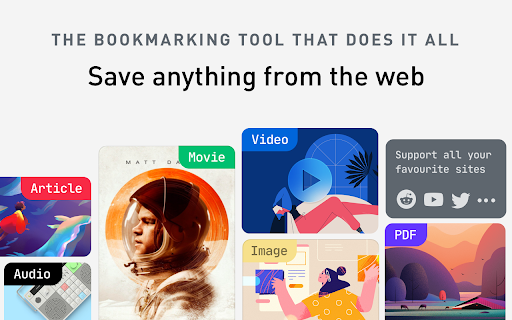
Raindrop.io starts as a bookmark manager and quietly becomes a clipper: save a page and it keeps a permanent copy of it, PDFs included, then searches the full text rather than just the title. That is the part people stay for — a bookmark that still works after the original page dies.
Nested collections, tags and highlights sit on top, and it syncs across Chrome, Edge and Firefox. Worth knowing before you commit: those permanent copies and the full-text search are Pro-only.
Tooltivity gave Raindrop.io a score of 8.9 out of 10.
4. OneNote Web Clipper
Back in university, OneNote was my favorite tool for taking notes, but I hadn’t touched it since then.
Recently, though, I discovered their super simple web clipper Chrome extension — and I loved it! OneNote makes saving websites easy, and honestly, it’s just super simple and beautifully designed.
Here’s what it looks like to save a website to OneNote:
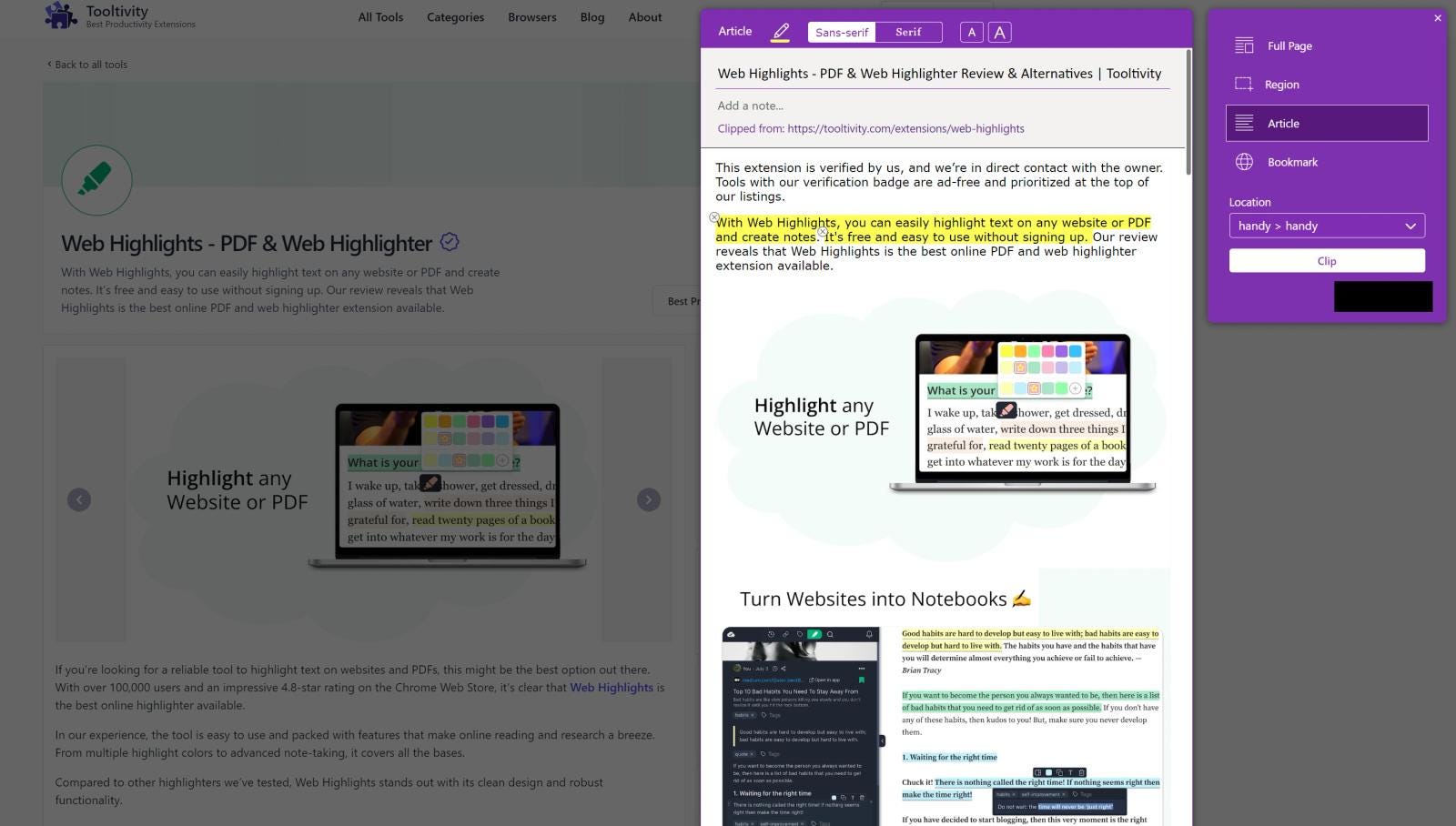
When you clip something, a preview is created right away, and you can edit it on the spot — like rewriting or highlighting text — before it syncs with OneNote.
Besides saving the whole page, you can also save specific text highlights and take full-page screenshots.
Tooltivity gave OneNote Web Clipper an impressive score of 8.8 out of 10.
Check out the full review here .

5. Notebook Web Clipper

Notebook Web Clipper doesn’t have the largest user base and not even the best rating with 4.2 stars, but I really like this tool for its simplicity and great features.
The web clipping feature is simple to use and makes saving websites easy. You can also highlight sections of text or take screenshots to add to your collection.
What’s also super cool is its clean view feature that can save a website with a clean reading mode without distractions.
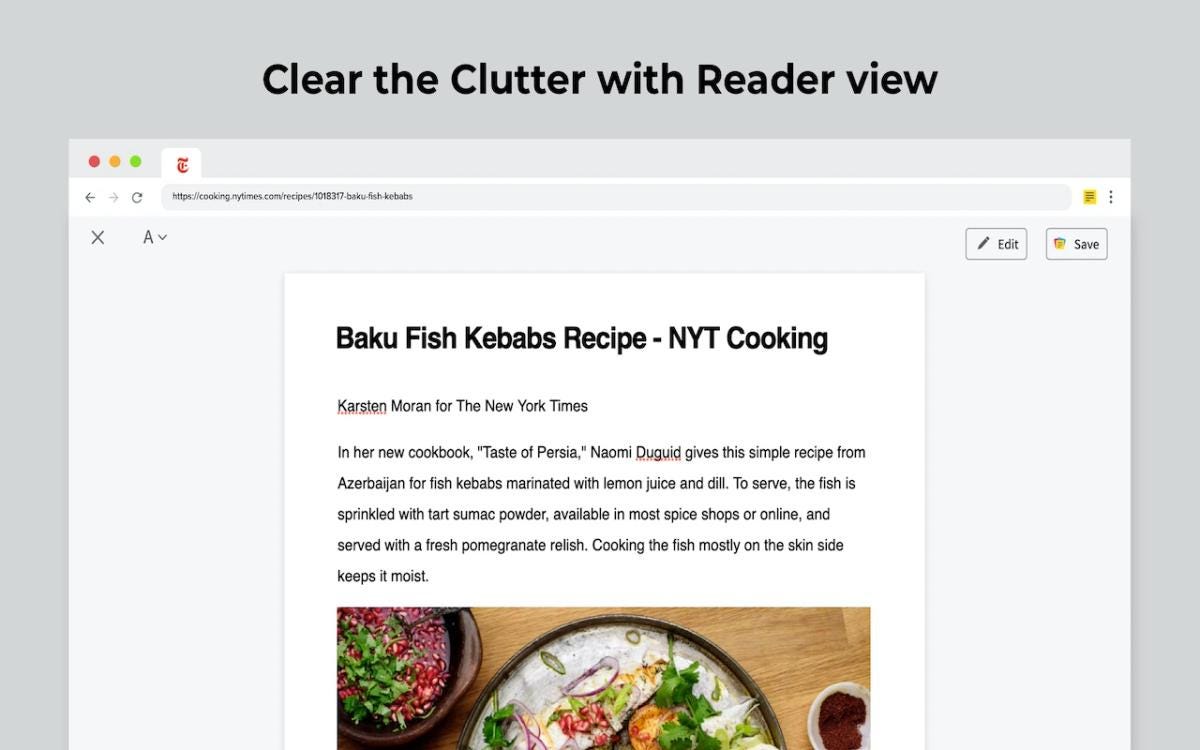
Tooltivity gave Notebook Web Clipper an impressive rating of 8.8 out of 10.
Check out the full review here .

6. Joplin Web Clipper
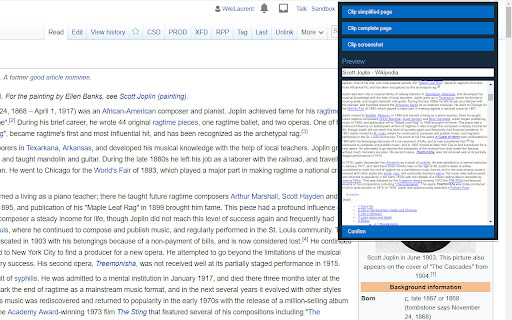
Joplin Web Clipper is the one to pick if you would rather your notes never touched someone else's server. It saves full pages, simplified articles, selections or screenshots straight into your local Joplin notebooks as clean Markdown.
It is free, open source and entirely offline. The trade-off is mechanical: the Joplin desktop app has to be running to receive a clip, so it fits people who already live in Joplin rather than anyone looking for a standalone clipper.
Tooltivity gave Joplin Web Clipper a score of 8.6 out of 10.
7. Save to Notion

While other extensions like Web Highlights offer an integrated Notion export on the Ultimate plan, Save to Notion is primarily built to save content to your Notion workspace.
It has an intuitive one-click save feature that lets you quickly capture information without disrupting your workflow. Plus, with options like highlighting, tagging, taking screenshots, and organizing content, it makes it easy to find what you need later.
There are several web clippers out there helping you to save websites to your Notion workspace, and I found this one to be the simplest and best.
Tooltivity gave Save to Notion an impressive rating of 8.5 out of 10.
Check out the full review here :

8. Obsidian Web Clipper
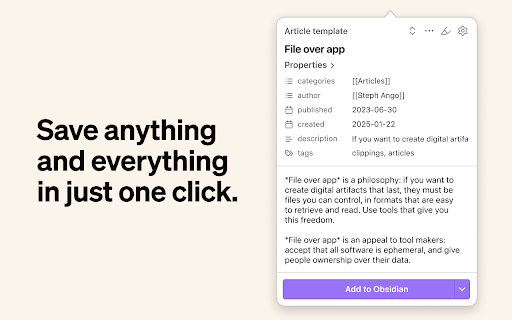
If you keep an Obsidian vault, this is the clipper you want. It drops pages, selections and highlights into the vault as Markdown, shaped by per-site templates — so a recipe site and a research paper can each land in their own format, with metadata filled in automatically.
It is completely free, and at 4.8 stars across roughly 570 Chrome reviews it is among the best-rated extensions on this list. The templating engine does choke on deeply nested data, which you will only notice if you push it hard.
Tooltivity gave Obsidian Web Clipper a score of 8.6 out of 10.
9. Milanote Web Clipper

Milanote has built a solid user base with over 100,000 users and holds a 4.8-star rating on the Chrome Web Store.
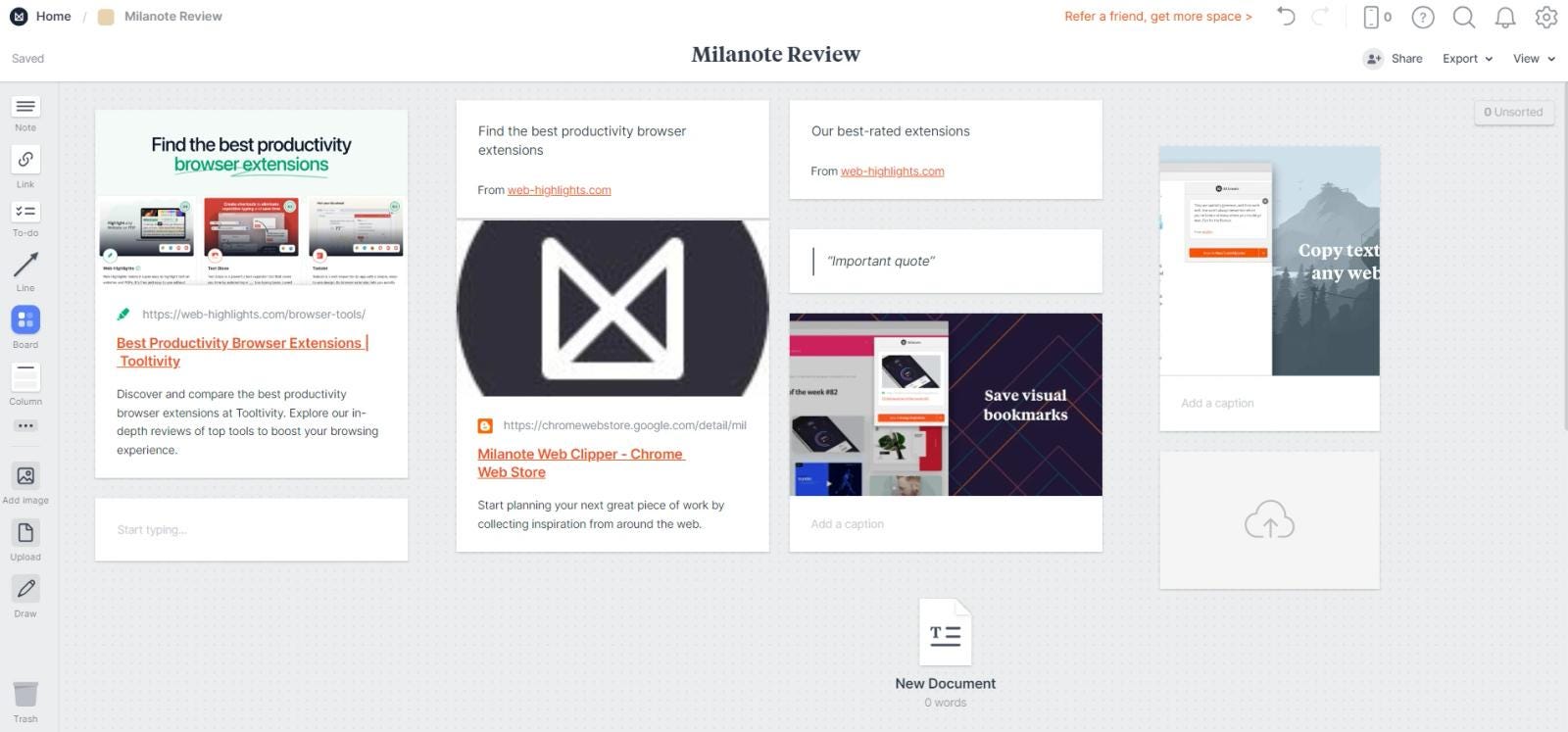
Although I don’t use this tool myself, I can see why it’s so popular. Along with its intuitive web clipping features for images and text highlights, it offers a well-designed dashboard that gives a great overview of all your saved content.
Here’s a look at the board within the app.
Tooltivity gave Milanote Web Clipper an impressive rating of 8.5 out of 10.
Check out the full review here :

10. Evernote Web Clipper

Evernote is a very popular personal knowledge management (PKM) tool which has been a key player in this area for many years.
Business Model INC. reports that Evernote has “an impressive 250 million users worldwide, with over 6,500 businesses relying on Evernote Business for collaboration.”
Given the tool’s popularity, it makes sense to have a Chrome Extension that lets you save content directly to your PKM tool. With over 2 million users and a 4.7-star rating, the extension enjoys an excellent reputation.
Evernote offers all the features I expect from a web clipper: Easy web content saving, simple bookmarking, adding highlights, creating screenshots and creating tags.
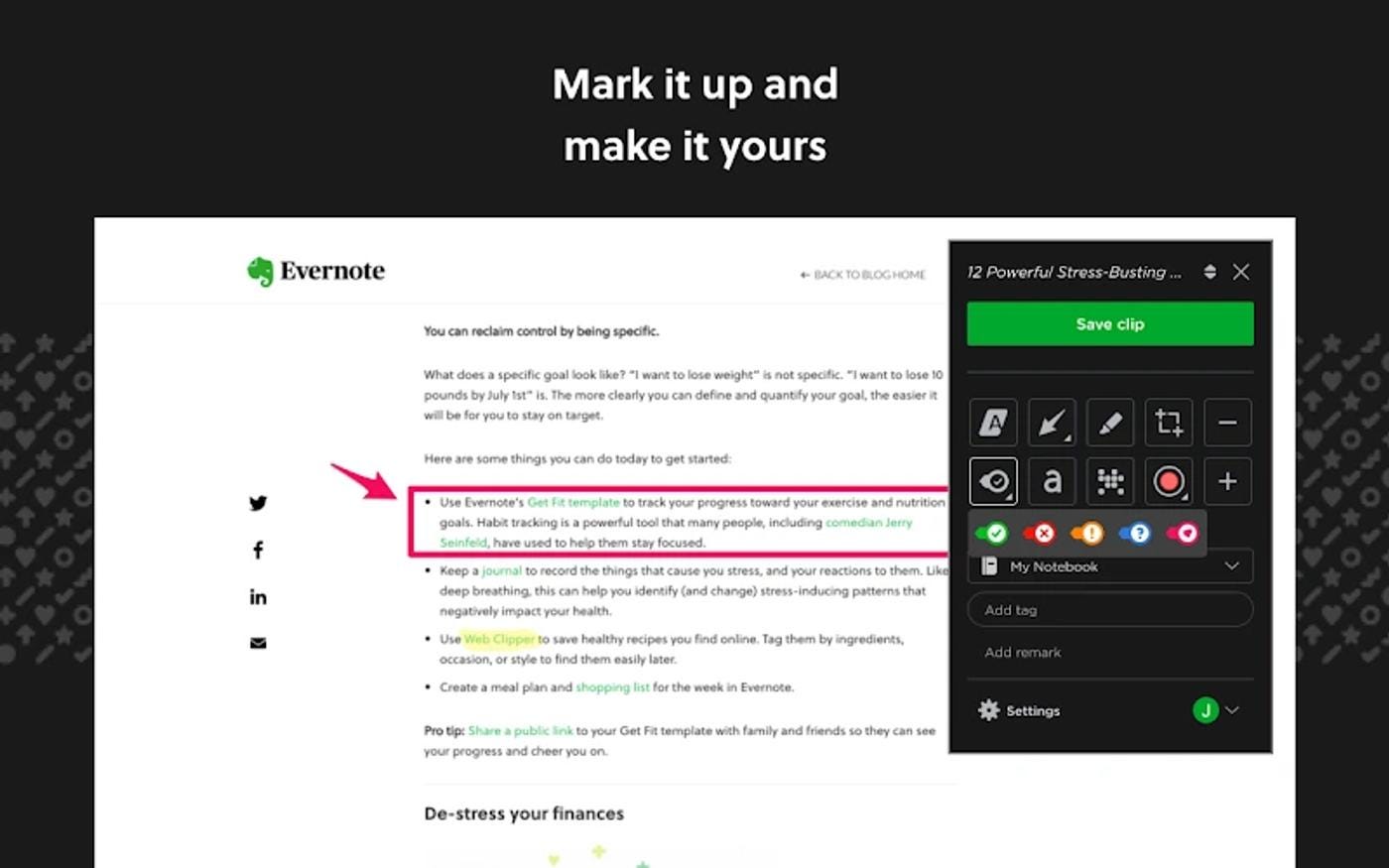
I believe that if you primarily use Evernote for your digital organization, there is no way around this extension. If you’re not an Evernote user like me, try more general options like Web Highlights .
Tooltivity gave Evernote Web Clipper a good rating of 7.4 out of 10.
Check out the full review here :

Discontinued: Save to Pocket
Save to Pocket used to sit on this list, and for years it was the default answer for saving a page to read later. Mozilla shut Pocket down in July 2025, so it is no longer a tool we can recommend — but enough people still search for it that leaving it unmentioned would be unhelpful.
If you are coming here looking for a replacement, we wrote up the 10 best Pocket alternatives , and most of the extensions ranked above will do the job.
Final Thoughts
There are many web clipper Chrome extensions available, and choosing the right one often comes down to personal preference. Give a few a try and see which one feels best for you.
If saving the link matters more to you than copying the page, the neighbouring category is worth a look — we ranked the 12 best Chrome bookmark manager extensions , several of which double as clippers. When the thing worth keeping is a video rather than an article, that is a different toolset again — the 10 best video downloader extensions covers it.
If you’re looking for more options, take a look at the complete list of Web Clipper extensions on Tooltivity:
Thanks for reading!
I always appreciate feedback — connect with me on LinkedIn or Twitter , or drop a comment.