
Most of what I read, I read in the browser — articles, docs, PDFs, papers. And most of it is gone a week later unless I write something down.
Most of us barely touch a pencil anymore, so digital notes are how we keep up with an endless stream of information. That’s why you need a good tool to park ideas for your future self.
The challenge is knowing which knowledge is worth acquiring. - Tiago Forte
In recent years, there’s been a clear shift toward using more applications in the browser instead of native apps. That’s why it makes sense to keep your note-taking tool within reach — as a browser extension.
Full disclosure: Tooltivity, which this article links to, is run by my company — the same one that makes Web Highlights.
There are thousands of note-taking extensions in the Chrome Web Store. Here’s my shortlist — checked again in October 2026 for ratings, users, and whether each one is still maintained:
List of the Best Note-Taking Browser Extensions
1. Web Highlights - PDF & Web Highlighter
This online highlighter is the hidden gem you didn’t know you needed.
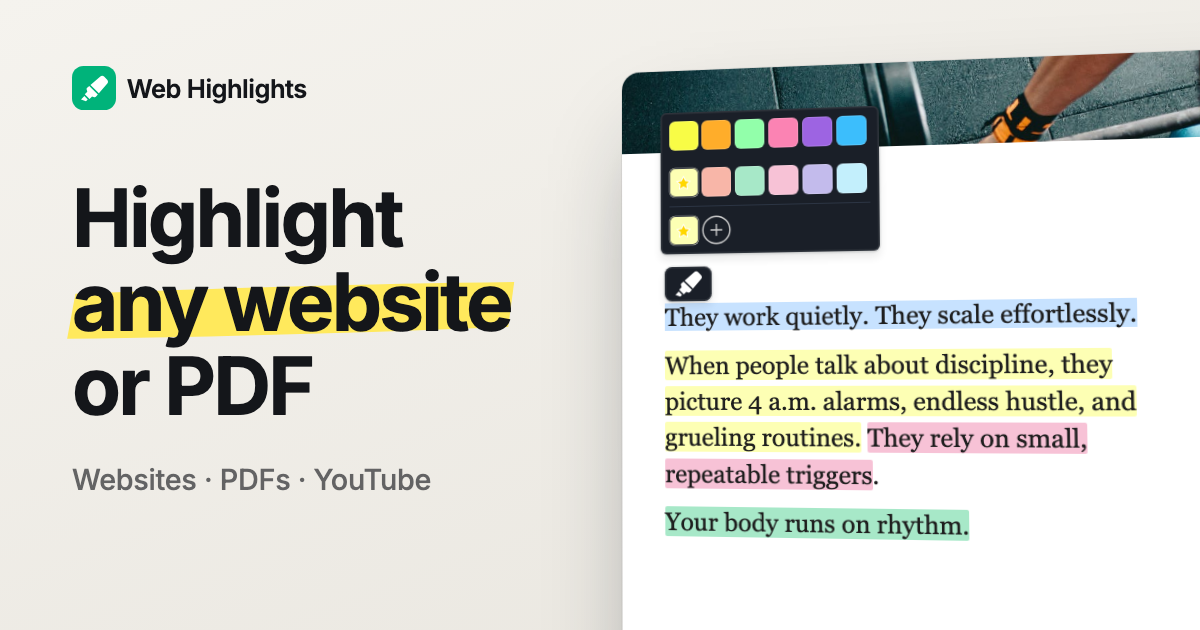
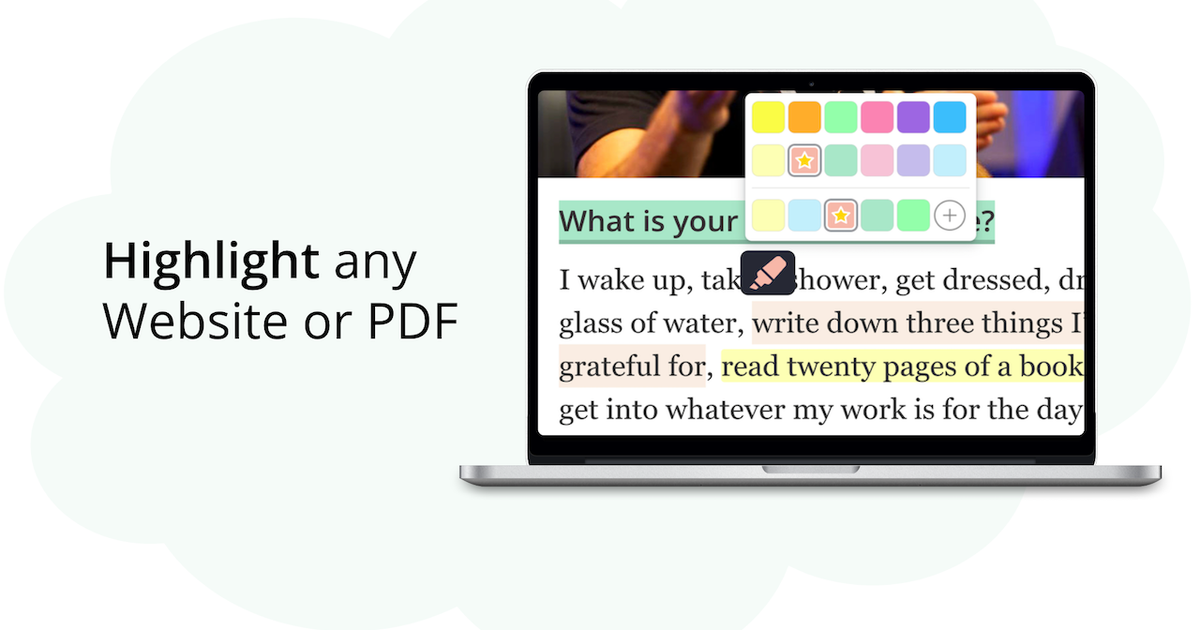
What makes this tool special is that you can create visual highlights with multiple colors and annotations on any website or PDF, right in your browser.
"Obsessed with this, I can just turn websites into my notes. I can even choose the colors I want to highlight in." - Amsal Shabeer
Taking notes is as simple as selecting text on a website and adding a note to it.
Create Notes & Tags
The best part? Your highlights stay on the website, even after you reload the page.
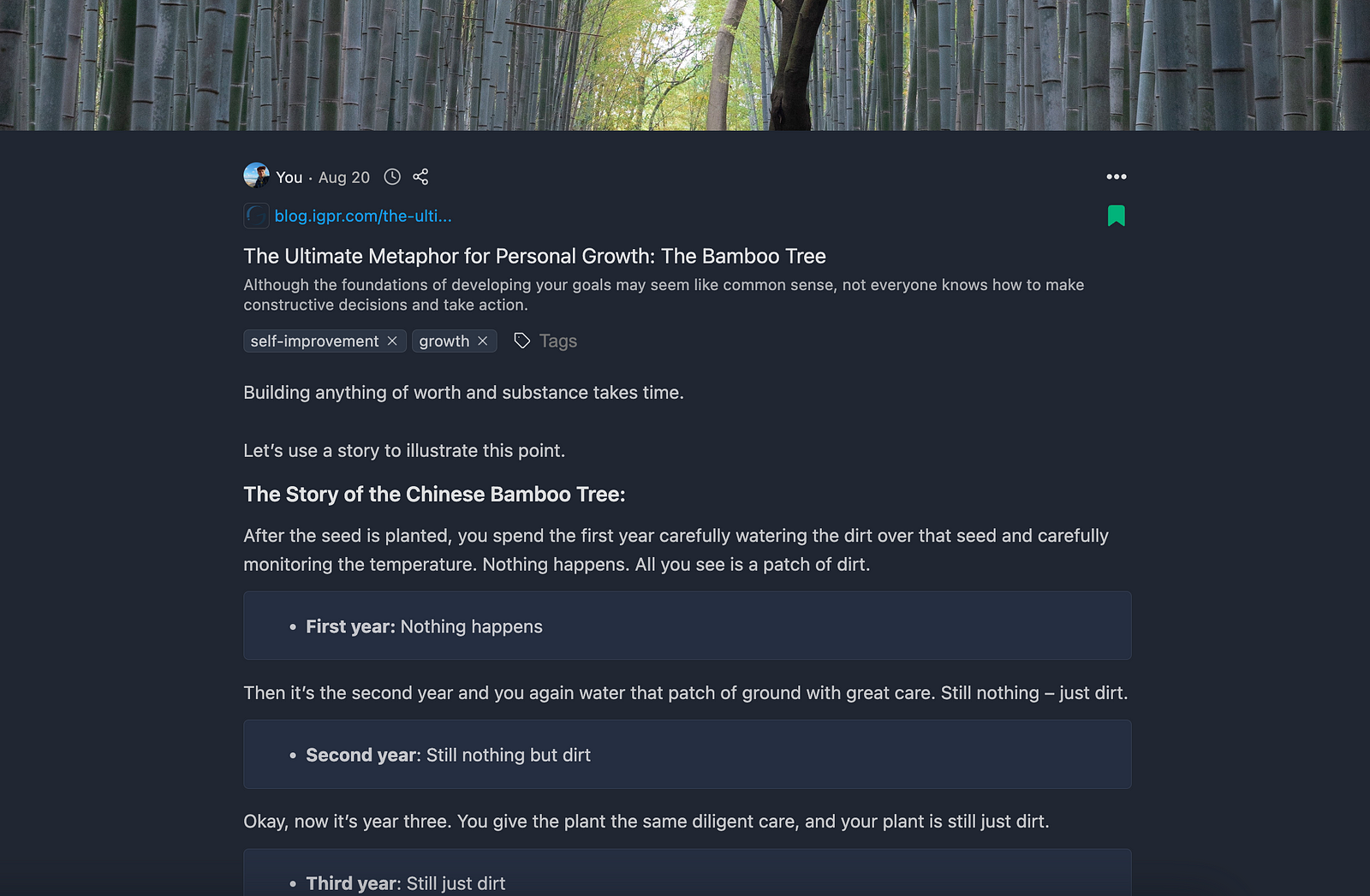
Plus, all your notes and highlights are saved in one central place, making it easy to organize your research with tags and quickly find information using full-text search.
Here's an example of highlighted content in the app:
Web Highlights is known for its clean interface and is popular among medical and law students, professionals, researchers, and many others who want to organize what they read online. It’s free to use with no account needed, and more than 300,000 people use it today — with a 4.8-star rating from over 5,000 reviews.
Alongside its core highlighting and note-taking tools, it offers a variety of features to help with learning, studying, and remembering what you read online.
Tooltivity gave Web Highlights an outstanding score of 9.8 out of 10.
Check out their full review here :

2. OneNote Web Clipper
I loved OneNote for taking notes during university, but I hadn’t touched it since then.
Recently, though, I discovered their super simple web clipper Chrome extension — and started to give OneNote another try. If you choose this extension, you’ll need to use OneNote as your central hub for storing notes (your so-called “ Second Brain ”), which is a great choice.
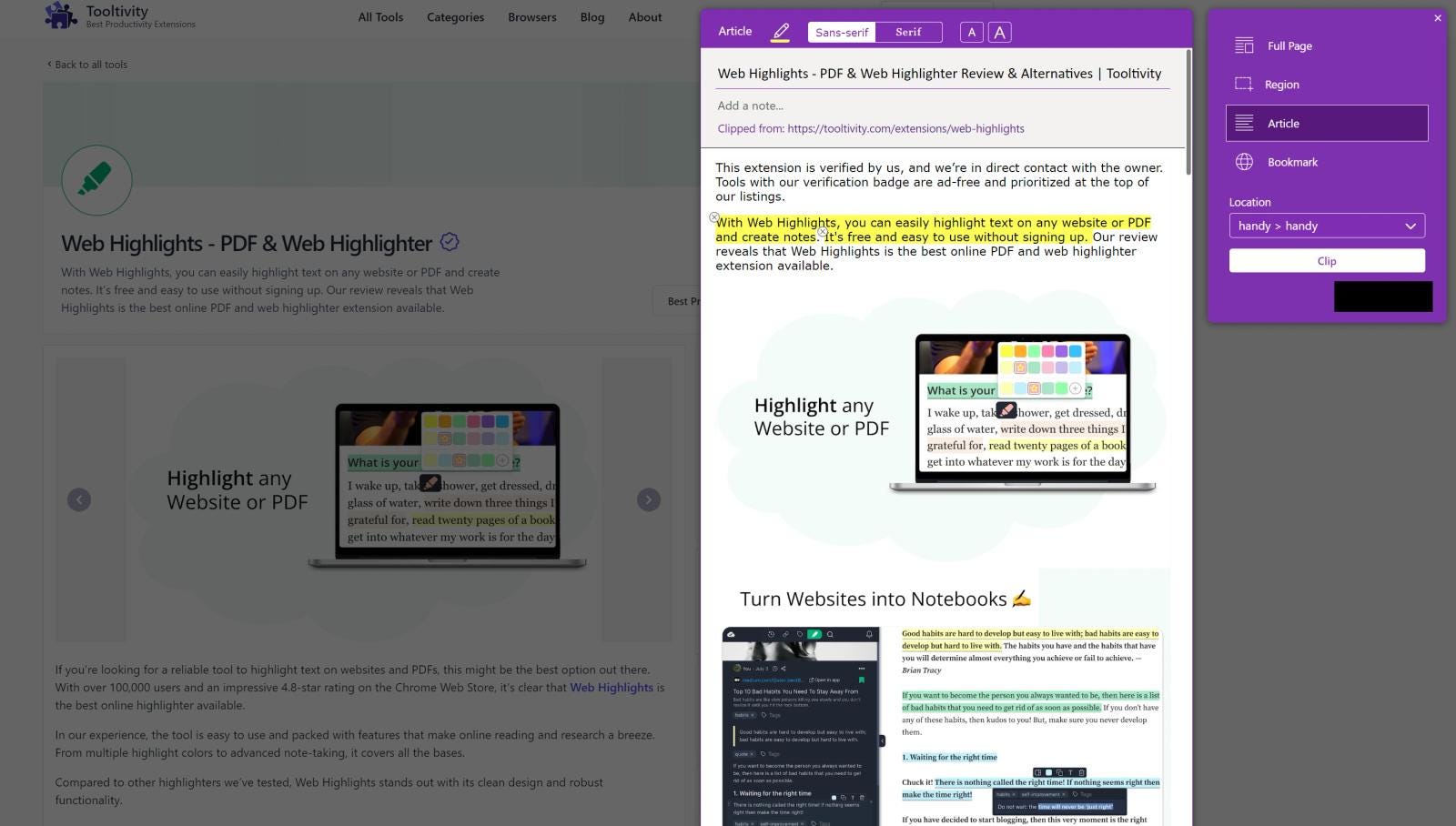
If you go this route, their Web Clipper Chrome Extension is a great choice. It lets you save entire webpages to your OneNote space and even add notes directly to the webpage.
Here’s what it looks like to save a website to OneNote:
OneNote is widely famous for its powerful note-taking capabilities and is a go-to tool for students, professionals, and anyone looking to keep their notes organized.
If you use OneNote, this extension is perfect for saving notes directly from any website. It’s free, but you need a Microsoft account to clip to OneNote. With 1,000,000 users and 4.8 stars from 68,500 ratings, it’s by far the biggest tool on this list, and Microsoft still updates it (the latest version is from September 2026).
Tooltivity gave OneNote Web Clipper an impressive score of 8.8 out of 10.
Check out the full review here .

3. Diigo Web Collector: Capture and Annotate
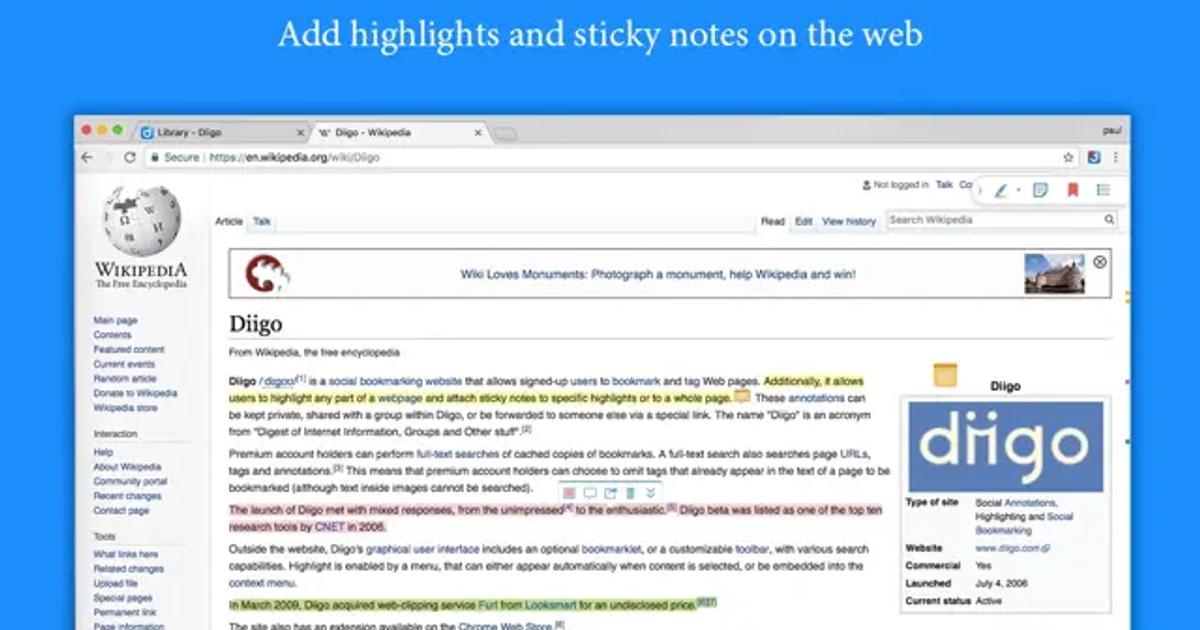
Diigo is a similar highlighting tool as Web Highlights that lets you highlight text on websites and add notes to it.
You can easily highlight text and a popup appears:

When clicking on the notes icon, you are able to add quick notes to your highlights:
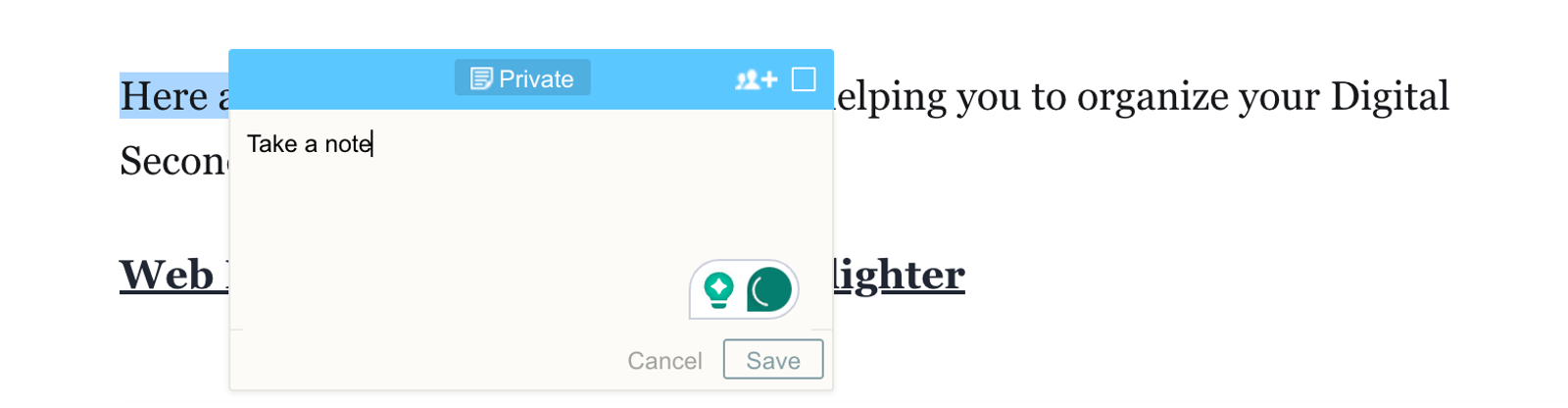
Diigo is great for highlighting and annotating, focusing on the core features. It’s a solid choice if you’re after a simple solution. On the other hand, Web Highlights offers a modern design with more advanced features, making it a great alternative.
One thing to know: Diigo still has 200,000 users and 4.6 stars from 2,300 ratings, but the extension hasn’t been updated since June 2024.
Tooltivity gave Diigo a good rating of 7.6 out of 10.
4. New Tab Notes
If you’re looking for a more advanced notepad directly in your browser, this extension might be for you.
New Tab Notes is a so-called New-Tab extension and transforms your new tab into a distraction-free notepad. So, whenever you open a new tab in your browser, this simple notepad opens up:
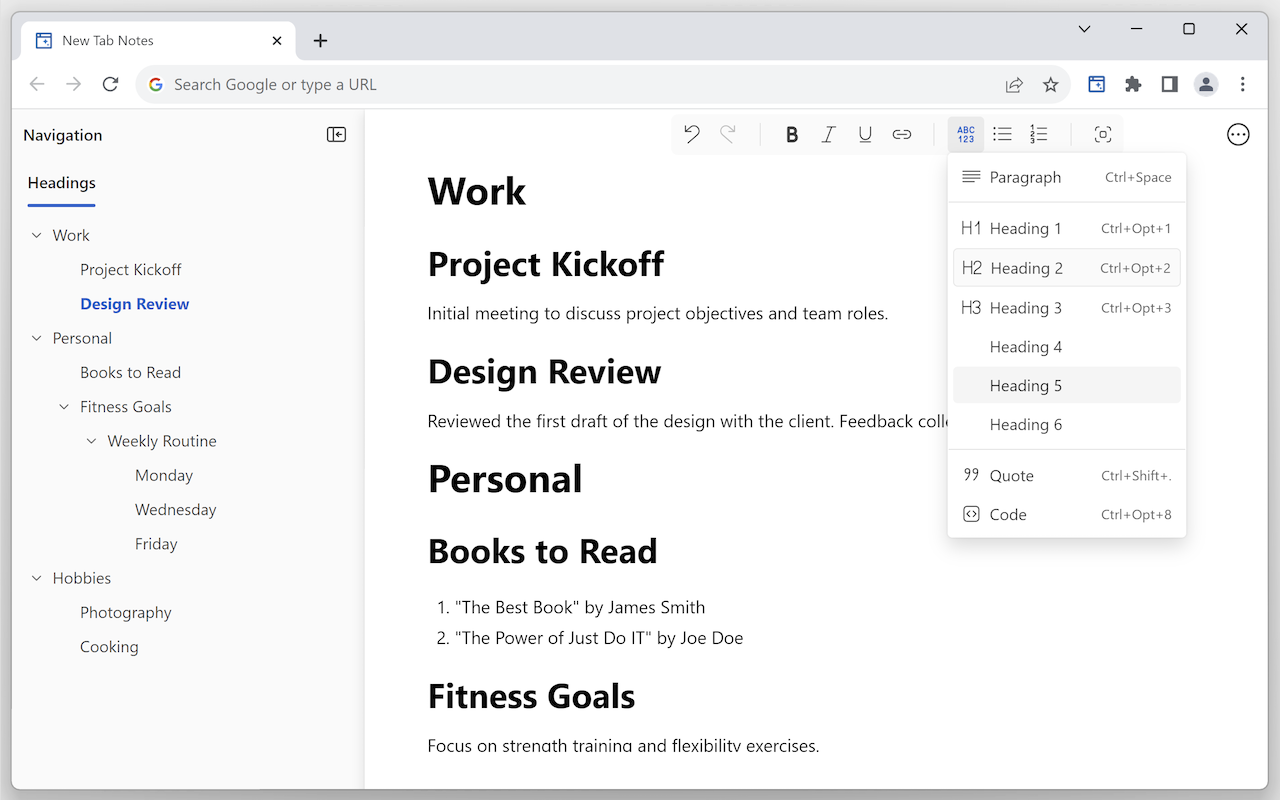
The great thing is that it supports rich-text formatting, task lists, and customization. Your notes sync through your browser, and you can export them as Markdown, HTML, or plain text. If you know Markdown shortcuts from Notion, you’ll feel at home right away.
It’s a small extension — about 2,000 users and 4.7 stars from 41 ratings — but it’s actively maintained (last update: May 2026).
Tooltivity gave New Tab Notes an impressive rating of 8.6 out of 10.

Check out the full review here :

5. New Tab Draft: Simple Note-Taking
This New-Tab extension works much like New Tab Notes , offering a notepad when you open a new tab in your browser.
The main difference is its simplicity. New Tab Draft is a very simple editor comparable to the Notepad app on Windows or TextEdit on Mac. It does not offer any formatting options, saving your text in local storage — which is great for privacy.
While it doesn’t have many extra features, its simplicity and strong ratings in the Chrome Web Store (4.8 stars from 1,200 ratings, 9,000 users) might appeal to those who prefer to keep it simple. Just know that it hasn’t been updated since November 2022 — it’s still listed in the store, but don’t expect new features.
Tooltivity gave New Tab Draft a very good rating of 8.2 out of 10.

Check out the full review here :

Final Thoughts
There are plenty of note-taking Chrome extensions to choose from, and picking the right one usually depends on personal preference. Try out a few and see which one works best for you.
If you’re looking for more options, take a look at the complete list of Note-Taking extensions on Tooltivity:
 Marius Bongarts

Thanks for reading!
I always appreciate feedback — connect with me on LinkedIn or Twitter .