New Tab Chrome extensions are tools that customize your browser's default new tab page, transforming it into something more useful and visually appealing.
Whether you want to boost productivity, stay organized, or simply add a personal touch to your browsing experience, these extensions offer a range of features like to-do lists, inspiring backgrounds, quick access to apps, and more.
This list covers thirteen New Tab Chrome extensions for 2026 — from bare link lists to full widget dashboards — plus one bonus that is not a new tab page at all.
Full disclosure: Tooltivity, which this article links to, is run by my company — the same one that makes Web Highlights. One entry, New Tab Landscapes, paid for its listing and is labelled as sponsored. The bonus entry at the end, Web Highlights, is our own extension.
How this list was made: the extensions come from Tooltivity’s New Tab category. Tooltivity rates each extension from its Chrome Web Store listing, its ratings and what recent reviews report. The order below is an editorial selection, not a ranking by score, and New Tab Landscapes’ #4 spot is a paid placement. The descriptions summarize each listing and what its users report. Ratings and user counts come from the Chrome Web Store, checked on October 12, 2026, and on October 27, 2026 for the two latest additions, New Tab Studio and Beautiful Photos.
Here are the New Tab Chrome extensions on this list:
1. Bonjourr
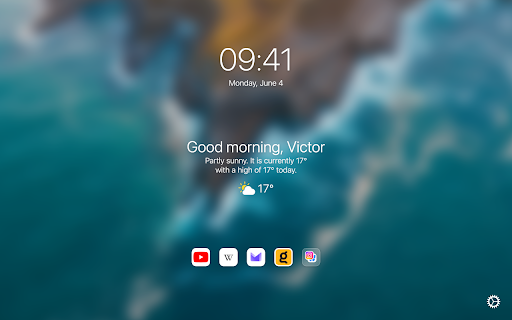
Bonjourr holds 4.9 stars across more than 24,000 ratings on the Chrome Web Store, with 400,000 users — and it earns that with restraint. You get a clock, the weather, your quick links, a search bar, and photo and video backgrounds that change with the mood of the day. Nothing blinks at you.
It is open source and needs no account, and there are custom fonts and CSS underneath if you like tinkering. One limit its reviewers mention: widgets sit in preset positions, so you cannot drop them anywhere you like.
Key Features of Bonjourr:
- Photo and video backgrounds that change through the day, plus a clock, weather and quick links.
- Open source, no account required.
- Custom fonts and CSS for anyone who wants to reshape it.
2. PresentBoard - New tab dashboard
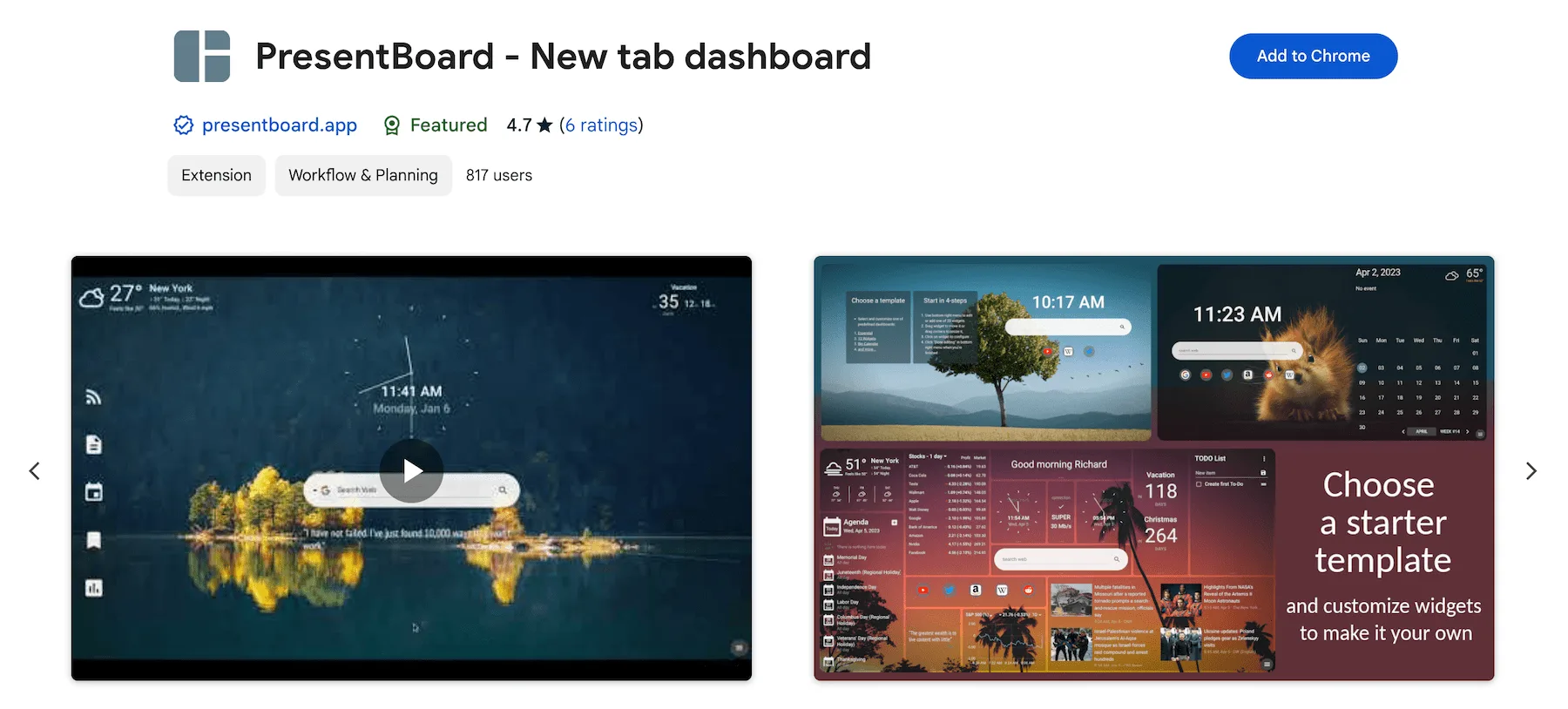
PresentBoard is a highly customizable dashboard built from widgets. Its Chrome Web Store listing names around 20 of them — calendars, to-do lists, weather, news headlines, stock prices, a Pomodoro timer — and you can place each one anywhere on the page, in any size.
With about 6,000 users it is one of the smaller extensions here, but it is actively developed: the listing logs an update for every season since spring 2025. If you like having all your information in one place every time you open a new tab, this is the dashboard-style pick.
The listing describes the widgets as free and also notes in-app purchases.
Key Features :
- Customizable Widgets : Choose from widgets like calendars, weather updates, and to-do lists.
- Enhanced Bookmarks : The bookmarks widget gives you quick access to your favorite websites.
- Calendar Integration : Connect your Google Calendar and iCal sources.
Check out a detailed review here:


PresentBoard is available in the Chrome Web Store. You can install it here .
3. Momentum
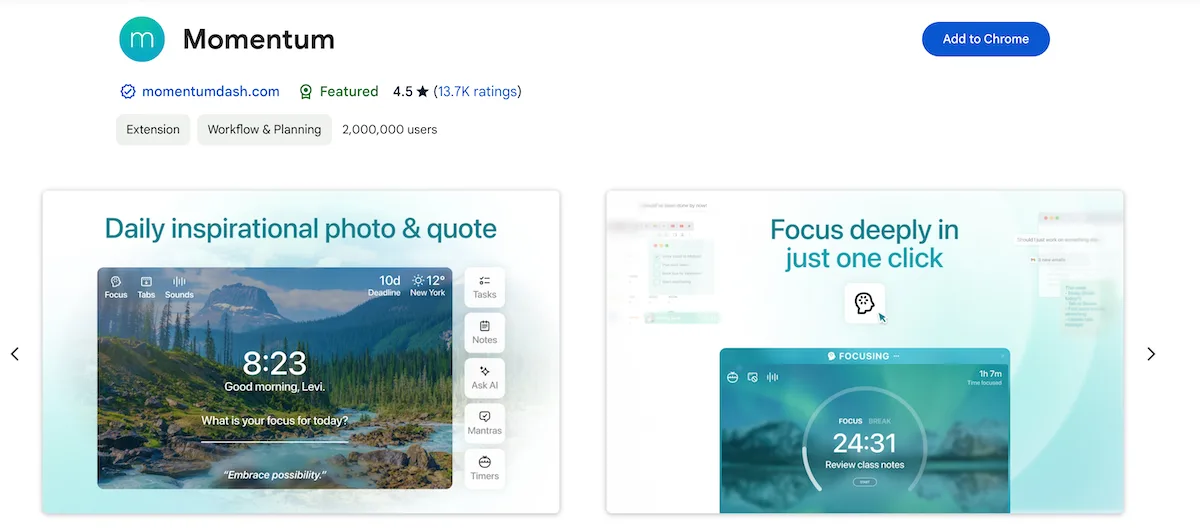
Momentum turns your new tab page into a daily dashboard: a new background, mantra and quote each day, plus a to-do list and a Focus Mode. With 2 million users on the Chrome Web Store, it is the most widely used extension on this list.
Key Features :
- A new background, mantra and quote each day.
- Focus Mode and built-in to-do lists.
- The paid Plus plan adds unlimited Focus Mode, a vision board, and Notes AI.
Check out a detailed review here:

Momentum is available in the Chrome Web Store, Microsoft Edge Store, Mozilla Firefox Add-ons Store, and Safari Extension Store. You can install it here .
4. New Tab Landscapes
Sponsored: New Tab Landscapes paid for its listing, which includes this spot.
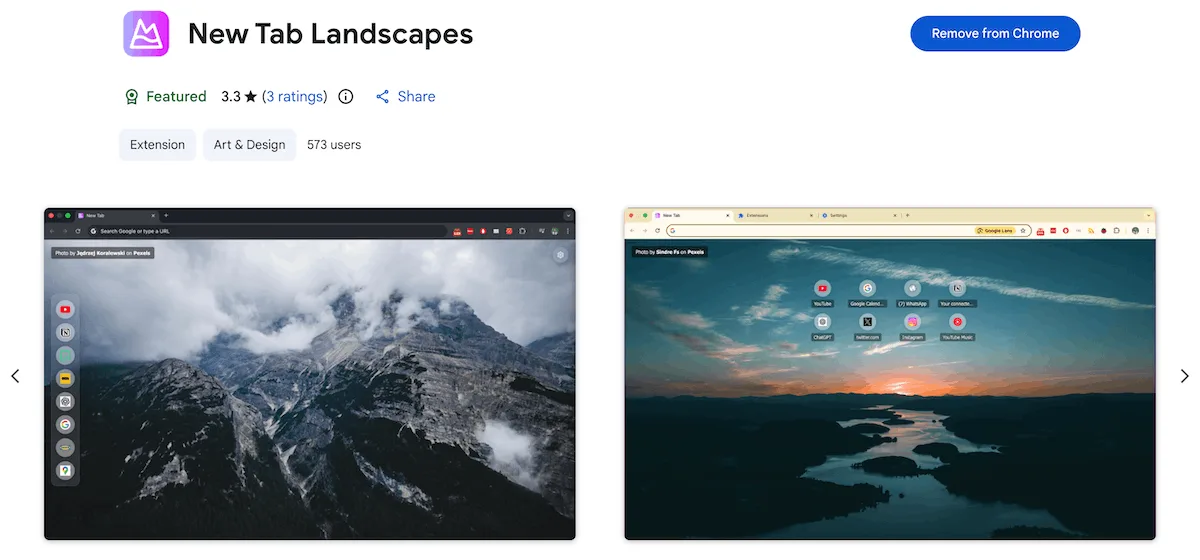
New Tab Landscapes swaps Chrome’s default new tab for a photo-first page. Each tab opens on an HD landscape from Pexels photographers — mountains, beaches, forests, sunsets — with a blurred preview while the full image loads.
It’s a pick for people who want landscape photography first, with a few focus tools around it. Version 3.0.0, released in September 2026, added a Pomodoro timer, a habit tracker with weekly and monthly grids, and a task list that is stored locally on your device — all reached from a dock at the bottom of the page. You can also add your own site shortcuts and switch between a horizontal grid and a vertical sidebar. It’s still a small install on the Store, with about 700 users and 12 ratings.
Key Features :
- HD landscape wallpapers : High-resolution nature photography from Pexels on every new tab.
- Wallpaper categories : Mountains, beaches, forests, deserts, lakes, sunsets and more.
- Focus tools : A Pomodoro timer, a habit tracker and a local task list in a bottom dock.
 Tooltivity
New Tab Landscapes is available in the Chrome Web Store. You can install it here .
5. A Fine Start
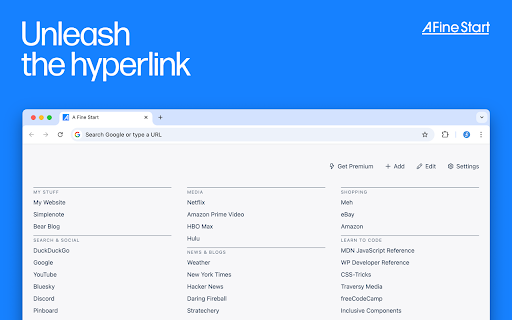
A Fine Start goes the opposite way to everything else here: no photography, no widgets, no clock. Just a plain text list of your links, sorted into groups you can fold away.
If a new tab is a launchpad rather than a view, this is the most stripped-back option on the list. It is also one of the smallest — about 2,000 Chrome users and 20 ratings — so it is a niche pick rather than a safe default. Only cross-device sync sits behind the Premium subscription.
Key Features of A Fine Start:
- A plain text list of links in foldable groups, sorted by drag and drop.
- No images or widgets, and no account unless you want sync.
- Free apart from cross-device sync.
6. Tabliss
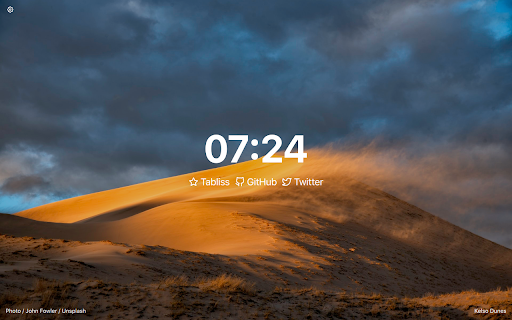
Tabliss fills each new tab with Unsplash photography you narrow down by topic, search term or collection — with widgets entirely optional.
Its most unusual quality is what it asks for: no browser permissions at all. Be aware that development has stalled: the Chrome Web Store version was last updated in April 2022, and the community fork TablissNG is where the fixes are landing.
Key Features of Tabliss:
- Unsplash backgrounds chosen by topic, search term or collection.
- Requests no browser permissions.
- Widgets are opt-in, so it can stay completely bare.
7. New Tab Notes
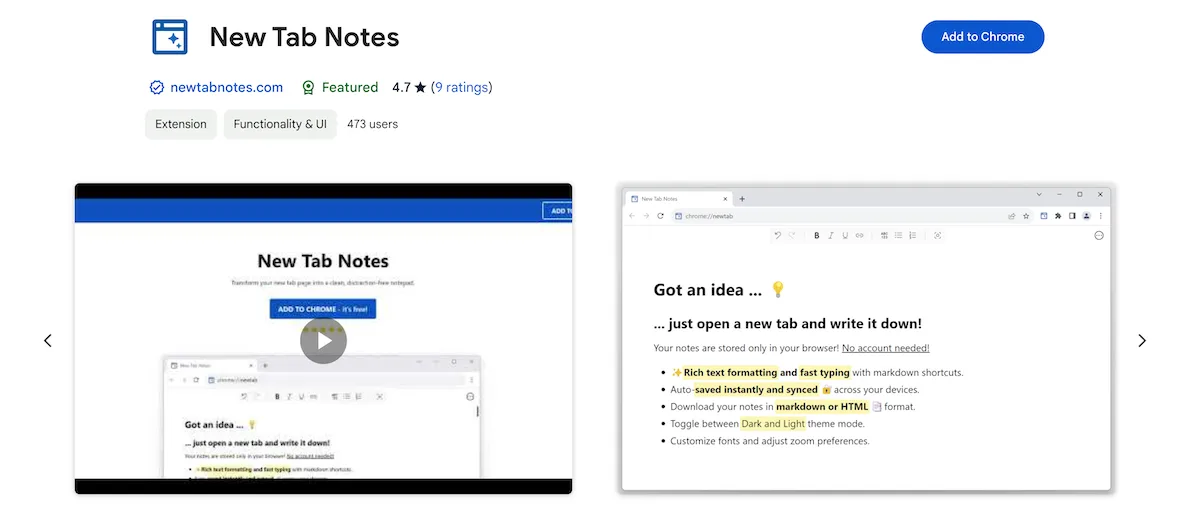
New Tab Notes turns your new tab into a distraction-free notepad with rich text formatting, task lists and auto-sync. Its Chrome Web Store listing shows 4.7 stars and 2,000 users.
Key Features :
- Rich Text Formatting : Use markdown and shortcuts for easy text styling.
- Auto-Sync : Notes are saved and synced by your browser across devices, with no third-party servers involved.
- Customization : Adjust fonts, zoom, and toggle between dark/light themes.
- Export Options : Download notes as Markdown, HTML, or plain text.
Check out a detailed review here:

8. Humble New Tab Page
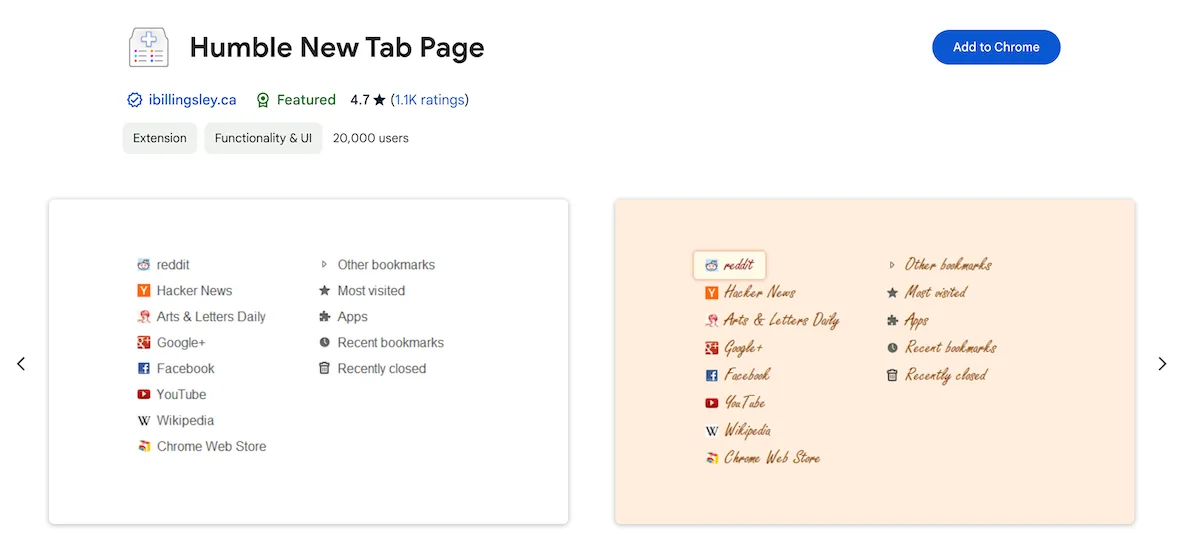
Humble New Tab Page
offers a clean, simple interface for your new tab page, featuring your bookmarks, apps, most visited and recently
closed sites in a customizable layout. It suits people who prefer simplicity and function over flashiness. The
extension is also open source, so you can tweak it further if you wish. Its Chrome Web Store version was last updated
in October 2023.
The source code is available under the MIT license and can be found
here
.
Key Features :
- Customizable layout: drag and drop folders to create or reorder columns.
- Fast loading and lightweight.
- Open source, with customizable fonts, colors, and spacing.
Check out a detailed review here:

Humble New Tab browser extension is available in the Chrome Web Store, and Mozilla Firefox Add-ons Store. You can install it here .
9. Infinity New Tab (Pro)
Note : When this list was first published in 2024, the Chrome Web Store warned that this extension might soon no longer be supported. That warning is gone, and the extension was last updated in July 2026.
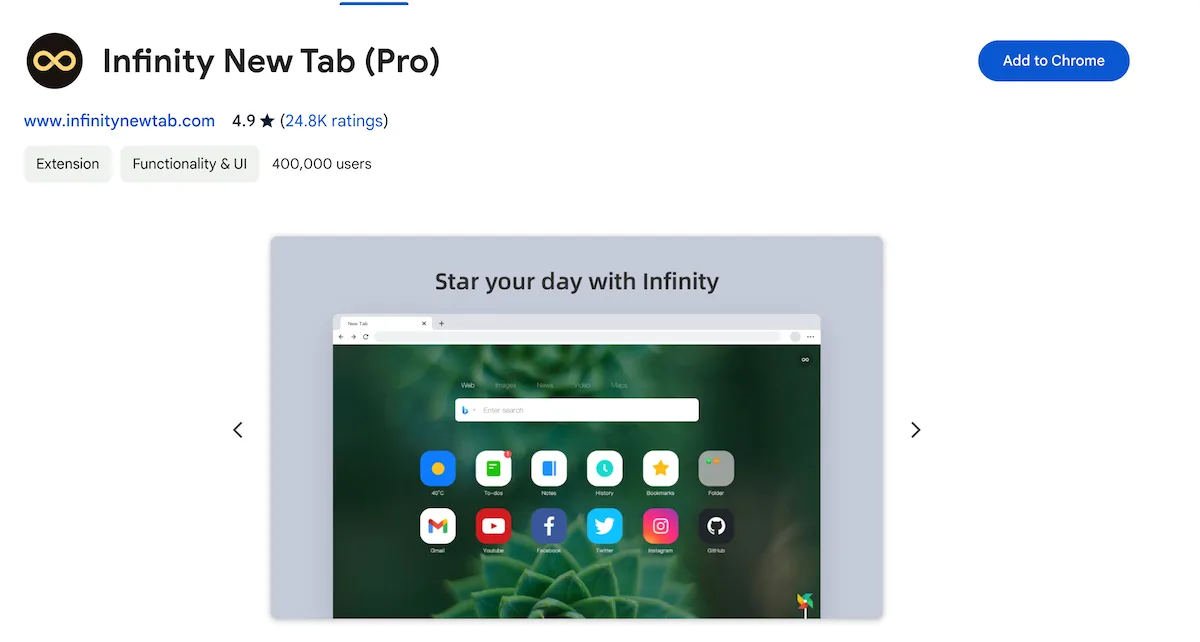
Infinity New Tab (Pro) replaces your new tab page with a customizable dashboard: shortcuts, your bookmarks and most visited sites, wallpapers, and small tools such as weather, a to-do list and notes. An optional Gmail badge shows your unread count. Two things worth knowing from its store listing: the new tab may include a few partner shortcuts by default (the listing names eBay), which you can delete, and it is the only extension on this list whose store page lacks Chrome’s “Follows recommended practices” badge.
Key Features :
- Customizable shortcuts, wallpaper, layout and icon style on your new tab page.
- Optional Gmail badge that shows your unread count and notifies you of new emails.
- Additional tools like weather, a to-do list, and notes.
Check out a detailed review here:

Infinity New Tab is available in the Chrome Web Store, and Microsoft Edge Store. You can install it here .
10. New Tab Draft
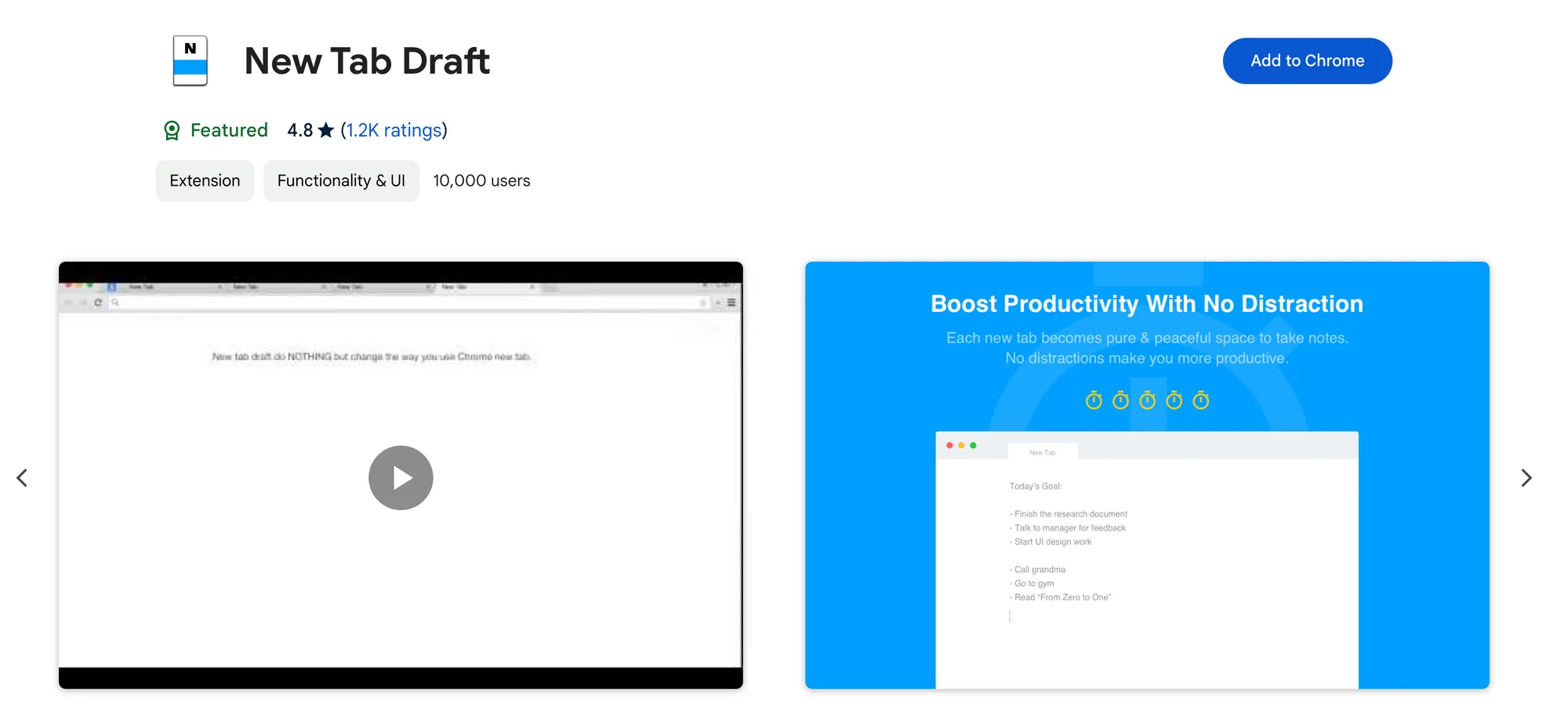
New Tab Draft turns your new tab into a clean writing space for quick notes, ideas, or to-dos. All notes are stored locally in your browser, not in the cloud. Its Chrome Web Store version was last updated in November 2022.
Key Features :
- Simple, clean note-taking directly on your new tab page.
- Local storage: your notes stay in your browser, not in the cloud.
- Extras like calculations, font and background options, and auto-backup to a local folder.
Check out a detailed review here:

New Tab Draft is available in the Chrome Web Store, and Mozilla Firefox Add-ons Store. You can install it here .
11. Calendar New Tab (formerly New Tab Calendar with ChatGPT)
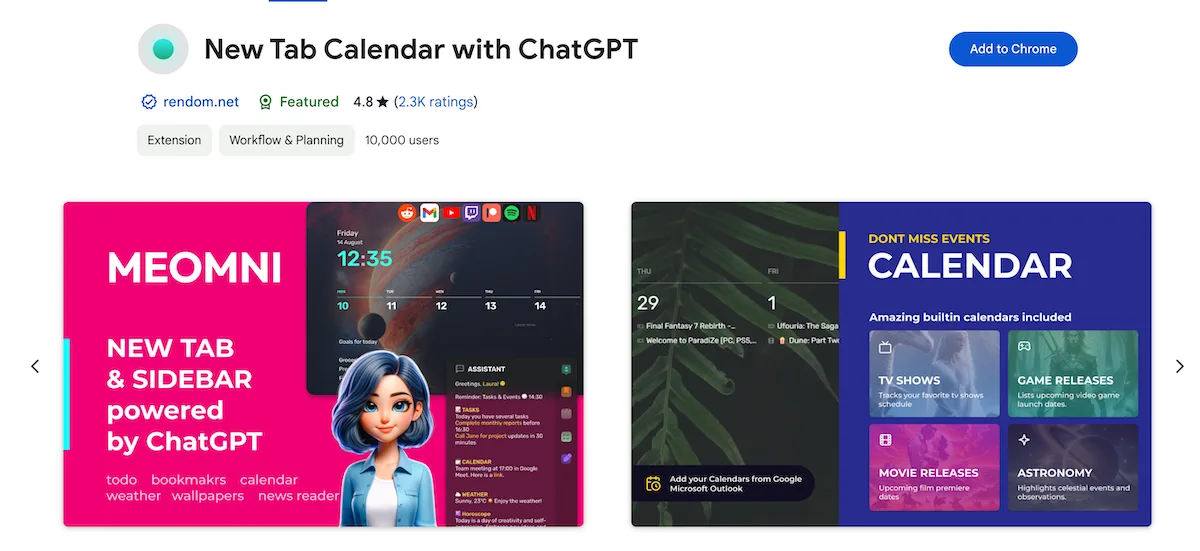
Calendar New Tab — the Meomni extension that was listed as “New Tab Calendar with ChatGPT” when this article first appeared — puts your calendar on the new tab page. It connects to Google Calendar and Microsoft Outlook and adds task lists, a ChatGPT sidebar, Gmail notifications, notes and news feeds. Themes, wallpapers, colors, fonts and layout can be customized, and the store listing notes in-app purchases.
Key Features :
- Task management with Google Tasks, Todoist, TickTick, and Microsoft To Do.
- Calendar integration with Google Calendar and Microsoft Outlook.
- RSS news feeds, weather forecasts, and a ChatGPT sidebar.
Check out a detailed review here:

The Calendar New Tab browser extension is available in the Chrome Web Store, and Microsoft Edge Store. You can install it here .
12. New Tab Studio
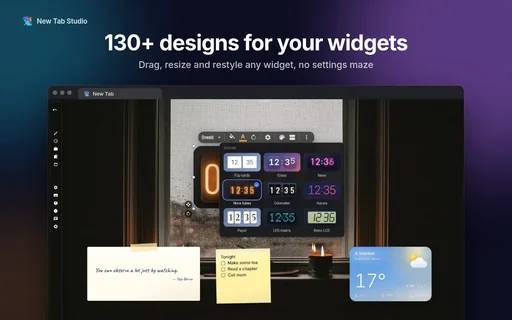
New Tab Studio is the pick for people who want to build their page from scratch. Its Chrome Web Store listing leads with a countdown — to an exam, a deadline, a birthday — and around it you can place a habit tracker, a to-do list, sticky notes, clocks, a Pomodoro timer and the weather. Every widget can be dragged, resized and rotated anywhere on the page.
It has 40,000 users and 4.8 stars from about 1,400 ratings. The catch is the free plan: its website says you can add three widgets by hand, although widgets that come with a ready-made theme don’t count toward that. Tasks and notes stay in your browser and there’s no account, which also means, as Tooltivity’s review points out, no sync between devices.
Key Features of New Tab Studio:
- Countdowns to any date, with more than 20 holidays built in.
- A freeform page with 130+ widget designs, from flip clocks to habit streaks.
- Ready-made dashboard themes such as Minimal, Study or Productivity, if you’d rather not start from a blank page.
13. Beautiful Photos
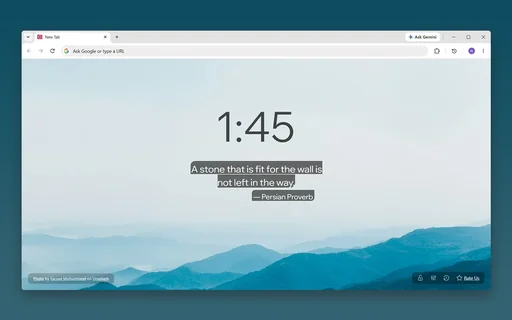
Beautiful Photos is the quietest page on this list. Every new tab opens on a full-screen nature photo from Unsplash, and that’s about it: no shortcuts, no search bar, no widgets. A clock and a daily quote — or a line of your own — are optional, and Tooltivity’s review notes that both start switched off.
It is also the smallest extension here, with about 560 users and 15 ratings, all of them five stars, so treat it as a niche pick. The listing promises no subscriptions and no premium fees, and Tooltivity’s review counts only two browser permissions. Want to choose between mountains and beaches? New Tab Landscapes, #4 above, has wallpaper categories; Beautiful Photos doesn’t.
Key Features of Beautiful Photos:
- Full-screen Unsplash photos, with the photographer credited on every tab.
- An optional clock, plus a daily quote or your own reminder line.
- Free, with no paid tier.
Bonus: Web Highlights - PDF & Web Highlighter
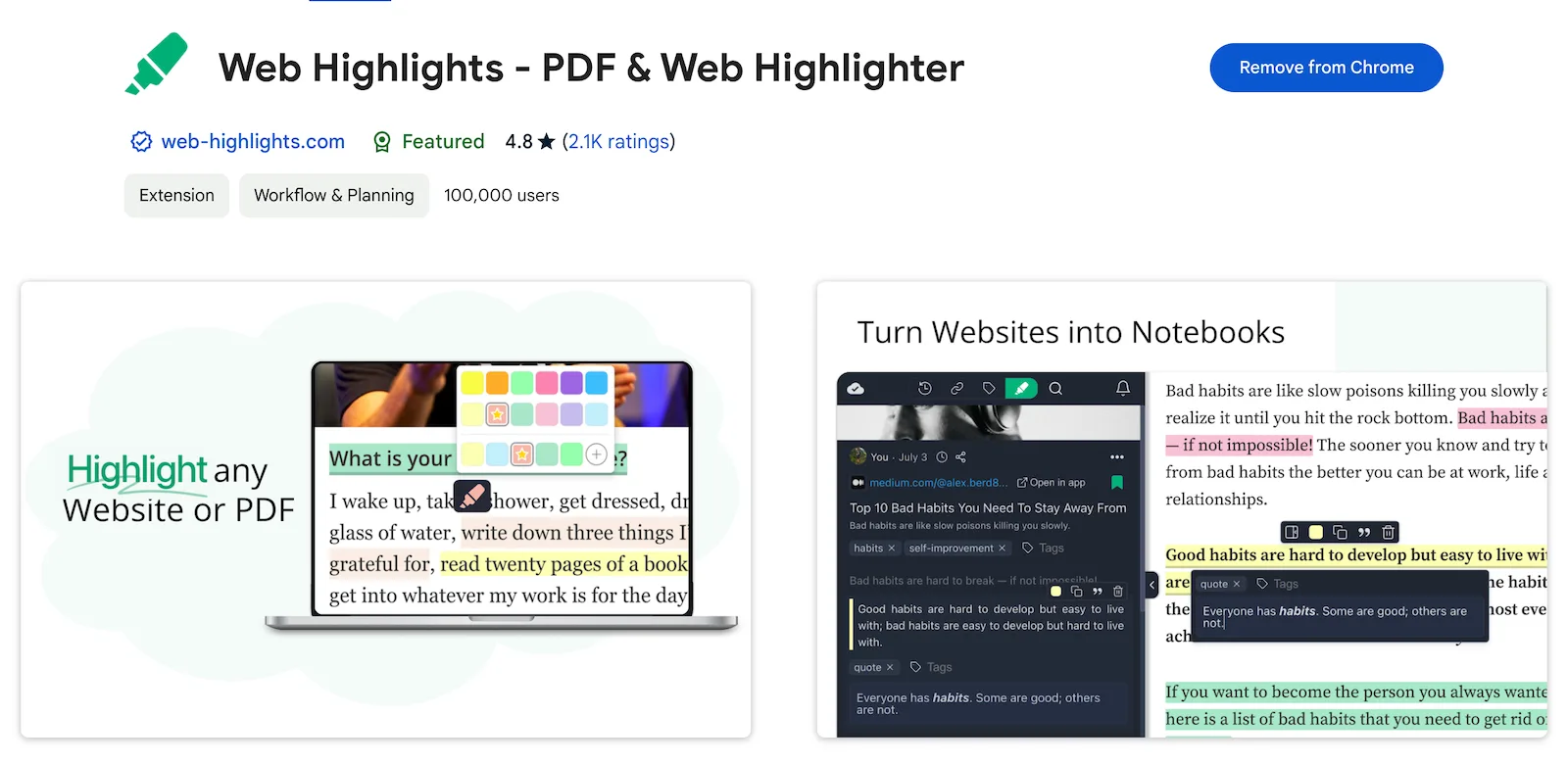
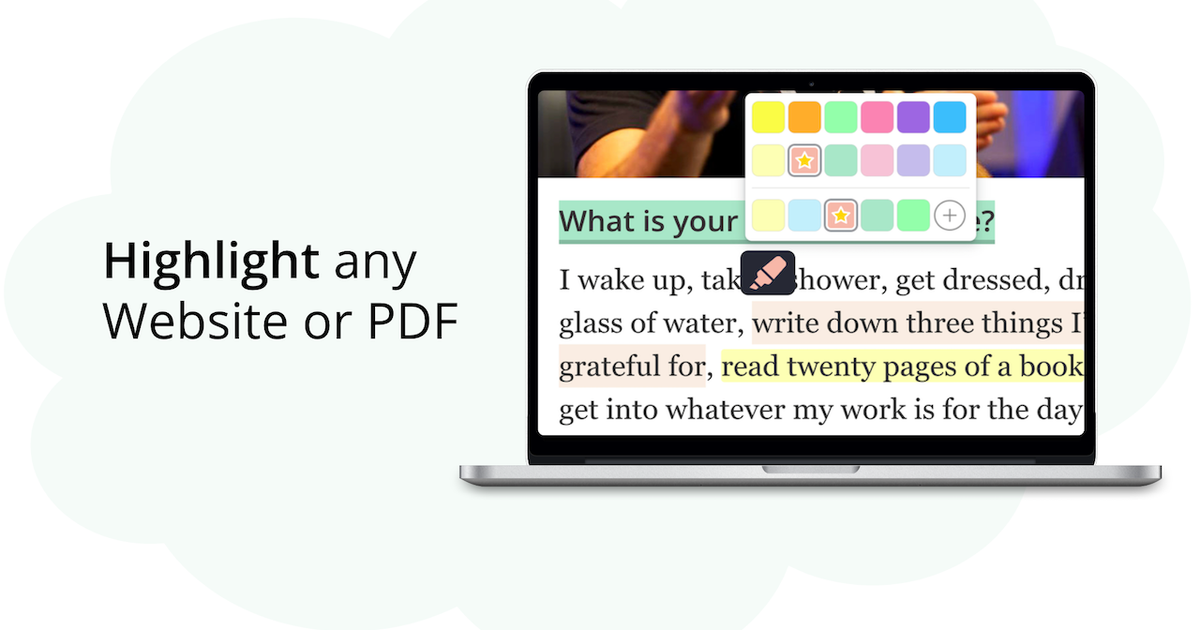
Web Highlights is our own extension, and it is not a new tab page — it is here as a bonus for people who read and research a lot online. It lets you highlight text, take notes, and save bookmarks on any website or PDF. The extension is free to use and needs no account.
Key Features :
- Highlight websites and PDFs , take notes, and create tags.
- Cloud sync across devices is part of the paid plans, free for a 7-day trial.
- One-click export to Notion and Capacities, Markdown copy for Obsidian , and — on the Ultimate plan — email reminders .
Check out our detailed review here:
Web Highlights is available in the Chrome Web Store, the Microsoft Edge Store, and the Firefox Add-ons Store. You can install it here .