The best Glasp alternative depends on why you want to leave. If you like Glasp’s highlighting but want your highlights private by default, real PDF annotation and flashcards to actually remember what you read, Web Highlights is the closest swap. If what you love about Glasp is its social side — public profiles and seeing what other readers highlight — no alternative replaces that, and you should probably stay.
Full disclosure before we start: I built Web Highlights. Tooltivity, where the Glasp review linked below lives, is run by my company too. That’s why every Glasp number in this article comes from its public Chrome Web Store listing and reviews, with a date next to it, and why there’s a section on what Glasp does better.
- Glasp is a social highlighter: 500,000 users, 4.45★ from 987 ratings on the Chrome Web Store (September 2026). Its strengths are public profiles, discovery and cloud AI summaries.
- Web Highlights is a private highlighter: 300,000+ users, 4.8★ from 5,000+ ratings. Its strengths are PDFs, flashcards with spaced repetition and on-device AI.
- Both are free to start. Web Highlights needs no account at all for the extension.
- Pick Glasp for the social feed and Safari on iPhone. Pick Web Highlights for private highlights, PDFs, learning and the Android app.
Why are people looking for a Glasp alternative?
Most of them aren’t unhappy with highlighting itself. Glasp is a good highlighter, and the rating shows it. The complaints are about where the free plan ends.
We read 500 recent Chrome Web Store reviews of Glasp for its Tooltivity review. “Paywall placement” came up 15 times, and 60% of those mentions were negative. One reviewer in June 2026 put it bluntly: they didn’t want to pay for private web highlights and for more than five PDFs. Another found that YouTube summaries were Pro only. The second big theme was AI features — some people wanted them, some wanted a way to switch them off.
So if you’re searching for an alternative, you probably want one of three things: private highlights without paying, more PDFs, or less AI in your way. Let’s see how Web Highlights handles each one, and where it doesn’t.
Web Highlights vs Glasp at a glance
| Web Highlights | Glasp | |
|---|---|---|
| Chrome Web Store | 300,000+ users, 4.8★ (5,000+ ratings) | 500,000 users, 4.45★ (987 ratings, Sept 2026) |
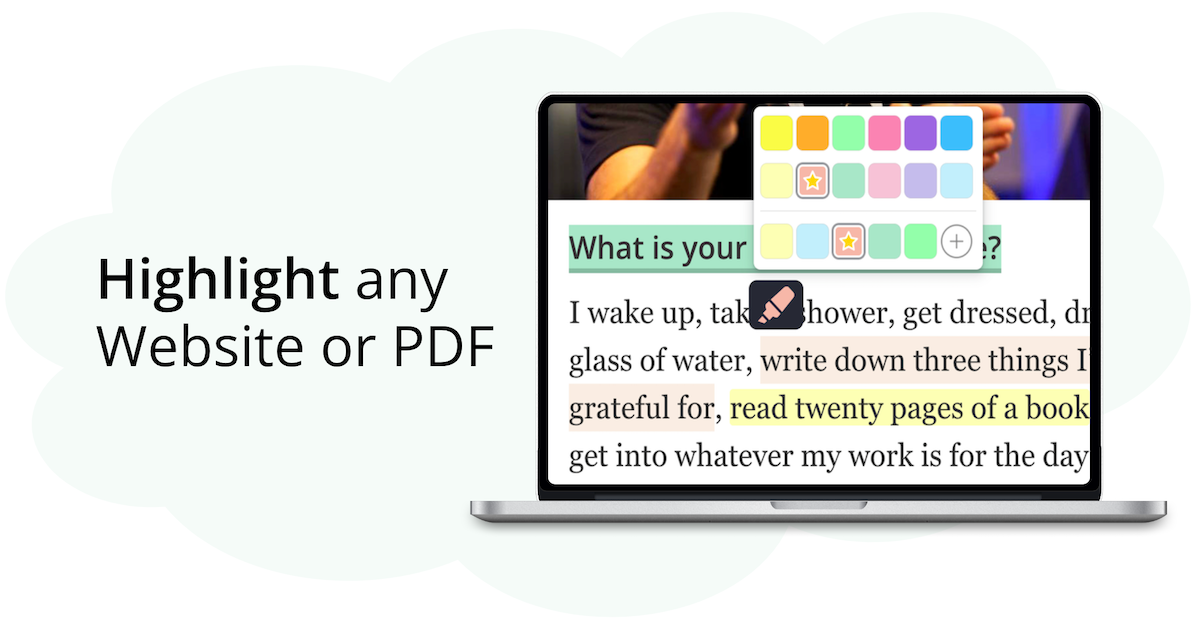
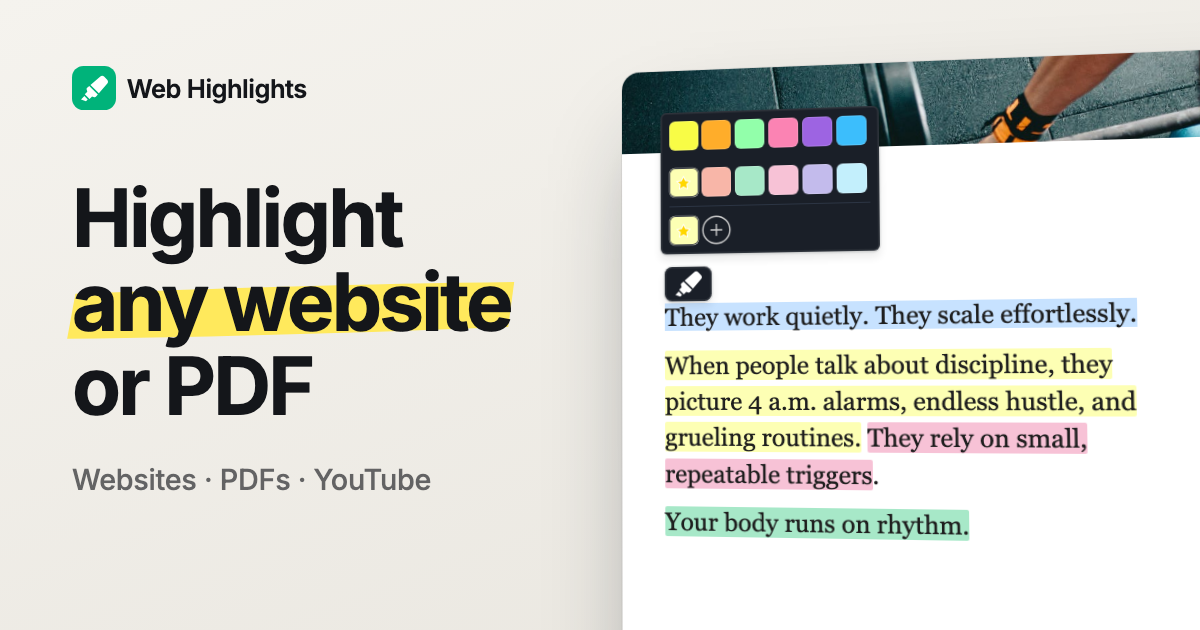
| Highlight websites | Yes, in multiple colors, with notes | Yes, in multiple colors, with notes |
| Who sees your highlights | Only you, unless you share a page via a public link | Built around a public profile; reviewers say private highlights are a paid feature |
| PDFs | Online, local and uploaded PDFs (up to 30 MB); download them with highlights as real PDF annotations | Yes; reviewers report a five-PDF limit on the free plan |
| YouTube | Highlight and take notes on the transcript while you watch | Highlights with timestamps and AI summaries; reviewers say summaries need the paid plan |
| AI | Summaries, chat and flashcards on your own device (Gemini Nano in Chrome, Phi-4-mini in Edge) | Summaries with ChatGPT, Claude and Gemini in the cloud |
| Remember what you read | Highlights become flashcards with spaced repetition | Not part of Glasp’s listing |
| Kindle | Import My Clippings.txt or your Amazon notebook | Import and sync Kindle highlights |
| Export | One-click to Notion and Capacities; copy as Markdown or HTML (paste into Obsidian) | Obsidian, Notion, Roam and other note apps |
| Social discovery | No | Yes — follow readers and see what they highlight |
| Browsers | Chrome, Edge, Firefox (also Brave, Vivaldi, Opera) | Chrome, Edge, Firefox, Safari |
| Phone | Android app; web app on iPhone | Safari extension on iPhone |
| Price | Free; cloud sync from $6.49/month or $56.99/year, 7-day free trial | Free plan plus a paid plan |
Can I keep my highlights private for free?
With Web Highlights, yes — private is the default, not an upgrade. Your highlights and notes live in your own library. Nobody sees them unless you decide to share a single page as a public link, and you can revoke that link any time.
This is the biggest difference in how the two tools think. Glasp is a social reading network that happens to be a great highlighter. Web Highlights is a personal library that happens to let you share. Neither is wrong, but you should know which one you’re signing up for.
You also don’t need an account to start. Install the extension, highlight, and everything stays on your device. You only sign in if you want your library on more than one device.
Which is better for PDFs?
Web Highlights, if PDFs are a big part of your reading. It opens online and local PDFs in its own viewer, and you can upload your own PDFs (up to 30 MB) so they sit in your library next to your web pages. There’s no five-PDF ceiling.
Here’s the part most people don’t expect: when you download a PDF, your highlights are embedded as real PDF annotations, each in its own color, with your notes as comments. Open the file in Acrobat, Preview or Edge and they’re all there. That matters if you hand papers to a professor or a colleague who will never install an extension.
Don’t have the extension? The free online PDF highlighter works in the browser with no install and no account.
Does Web Highlights have AI like Glasp?
Yes, but it works differently. Glasp sends your content to cloud models — ChatGPT, Claude and Gemini — for YouTube and article summaries. Web Highlights runs AI summaries, AI chat and AI flashcards on your own device, with the model built into Chrome (Gemini Nano) or Edge (Phi-4-mini). There’s no Web Highlights AI server, so your pages never leave your computer for it.
The honest catch: on-device AI needs a desktop browser that ships the model. Chrome works on Windows, macOS and Linux; Edge only on Windows and macOS. It doesn’t run on phones, and the free plan has a daily allowance (one summary, one new chat and one generated deck per day). If you want cloud models on any device, Glasp is the better fit here.
And if the AI features bother you? You can simply not use them. Highlighting works the same without them.
Can I turn highlights into flashcards?
This is the one thing I’d point every student to. In Web Highlights, any highlight can become a question-and-answer flashcard, and you review your cards with spaced repetition, which brings each card back at growing intervals.
Highlighting feels like learning, but it only sticks if you come back to it — and almost nobody re-reads old highlights on their own. If that sounds familiar, our guide on creating a study guide from your highlights walks through it.
You can bring your Kindle books in too: import your Kindle highlights, and each book becomes its own deck.
Can I export to Notion and Obsidian?
Notion, yes, in one click — and Capacities too. Free and Premium get one export per day to each, and Ultimate is unlimited. Any page can also be copied as Markdown or HTML.
Obsidian is where Glasp is ahead. Glasp exports there directly. With Web Highlights, you copy your highlights as Markdown and paste them into your vault. It takes a few seconds, but it’s a manual step. Glasp also exports to Roam; we don’t.
What does Glasp do better?
I promised this section, so here it is. Glasp is the better choice if:
- You want the social side. Following other readers and discovering articles through their highlights is Glasp’s core idea. Web Highlights has nothing like it.
- You read on Safari or iPhone. Glasp has a Safari extension, mobile Safari included. Web Highlights has no Safari extension; on iPhone you use our web app.
- You want cloud AI models everywhere, including on your phone, rather than an on-device model on desktop.
- You live in Obsidian or Roam and want a direct export instead of copy and paste.
If any of these is the reason you use Glasp, keep it. Switching tools is work, and it should buy you something.
What does Web Highlights do better?
- Private by default, with no account needed to start.
- PDFs: uploads up to 30 MB, no small free cap, and downloads with real PDF annotations.
- Learning: flashcards and spaced repetition built in.
- On-device AI: your pages stay on your computer.
- Android: a native Android app, synced with the extension.
- Organizing: tags, collections (folders in a tree), page notes and search across everything.
And some limits, so you’re not surprised: syncing across devices is part of the paid plans (with a 7-day free trial), there’s no shared team workspace, and there’s no iOS app yet.
How do I switch from Glasp to Web Highlights?
- Install Web Highlights for Chrome, Edge or Firefox. No account needed.
- Open an article you read recently and highlight something. Click the highlight to add a note or a tag.
- For the pages you care about in Glasp, open them again and re-highlight the passages that still matter. It’s a good moment to keep only what you’ll actually use.
- Turn your favorite highlights into flashcards, and let spaced repetition bring them back.
Coming from another highlighter instead? We also compared Web Highlights and Weava, looked at Readwise alternatives, and rounded up the best highlighter extensions for Chrome.
So which one should you pick?
If you read in public and like learning from what others highlight, stay with Glasp. If you read for yourself — to study, to research, to remember — and want that to stay private, try Web Highlights. It’s free, and it takes about a minute to find out if it fits.
I’m happy to answer questions, and I’m open to criticism 😊 You can reach me on LinkedIn or Twitter.