
Quizlet was the site half my generation studied on, so I get why switching feels hard. For many people, that changes on the day Learn mode stops in the middle of a session and asks for a credit card.
The short answer: the best free Quizlet alternative for most students is Knowt — it imports your Quizlet sets and keeps Learn mode free. If you want to remember things for months, Anki is free on computers and Android. And if your study material is what you read online, Web Highlights turns your highlights into flashcards.
One thing up front: I built Web Highlights, so it’s on this list. I placed it where I think it honestly fits, and every competitor fact below was checked on the vendor’s own pricing and help pages on October 4, 2026.
Key takeaways
- Quizlet’s free plan still works for flashcards, but Learn and practice tests are limited and there are ads. Quizlet Plus costs $35.99 a year on the web.
- Knowt is the closest swap: free Learn mode, free spaced repetition, and a free Chrome extension that copies a Quizlet set over in one click.
- Anki is the most powerful free option for long-term memory — but it takes setup, and the iPhone app costs $24.99.
- RemNote and Web Highlights are for people whose cards should come from their own notes or reading, not from a typed set.
The best free Quizlet alternatives at a glance
| App | Best for | Free plan | Imports Quizlet sets | Paid from |
|---|---|---|---|---|
| Knowt | Switching from Quizlet with your sets | Unlimited Learn, practice tests, spaced repetition (with ads) | ✅ One click with its Chrome extension | $149.99/yr |
| Anki | Remembering for months and years | Everything on desktop, Android and the web | ⚠️ Only as a text file | $24.99 once (iPhone app) |
| RemNote | Notes and flashcards in one place | Unlimited notes and cards, spaced repetition, 3 annotated PDFs | ✅ Built-in importer | $8/mo |
| Brainscape | Rating how well you know each card | Unlimited own cards, spaced repetition, AI cards (in the hundreds) | ⚠️ Via a CSV export | $95.88/yr |
| Web Highlights | Flashcards from what you read online | Highlighting, flashcards, spaced repetition, ready-made decks | ❌ | Paid plans add sync after a 7-day trial |
| Gizmo | Gamified quizzing | Unlimited cards, quizzing up to 15 hearts | ✅ Paste the set link | Varies (App Store lists several prices) |
| Noji | Studying on your phone | Spaced repetition up to 50 cards a day | ✅ Paste the export text | Varies (App Store lists several prices) |
What changed at Quizlet — and is it still free?
Yes, Quizlet is still free for making and flipping through flashcards. What’s limited is the part that does the studying for you. Quizlet’s help center says free users get Learn “for a limited number of rounds per flashcard set” and practice tests “with limited access” — it doesn’t publish the exact numbers. The free plan also shows ads.
The paid plans, as listed on Quizlet’s upgrade page: Quizlet Plus is $35.99 a year or $7.99 a month and still caps you at 20 rounds of Learn and 3 practice tests a month. Plus Unlimited is $44.99 a year or $9.99 a month. Buy through the iPhone app and Plus costs $44.99 a year instead.
To be fair to Quizlet: in August 2026 it added a real spaced repetition mode to Flashcards — you rate each card from Repeat to Easy, and it schedules the next review. For now it works on the website only. If you study in a class, there’s another exception: sets your teacher assigns get unlimited, ad-free Learn and Test.
So when is it worth looking elsewhere? When you hit the Learn limit every week, when you want to study on your phone without a subscription, or when your material isn’t a typed set at all.
1. Knowt — the best free Quizlet alternative overall
Knowt calls itself the “#1 free Quizlet alternative”, and for most students switching away from Quizlet that’s fair. Learn mode is free with unlimited rounds, practice tests are free, and spaced repetition is free.
Full disclosure: Tooltivity and Productivity Apps, which this article links to, are run by my company — the same one that makes Web Highlights.
The best part for switchers: Knowt’s free Chrome extension adds a button to any Quizlet set that copies it into Knowt. Your years of sets don’t have to stay behind.
- Free: unlimited Learn rounds, practice tests, spaced repetition, unlimited sets. The free plan shows ads.
- Paid: Knowt Ultra, $149.99 a year or $24.99 a month — no ads, plus AI summaries of PDFs, videos and lectures.
- Platforms: web, iPhone, Android, and the Chrome extension.
Skip it if ads bother you — or if what you need is long-term retention tuning, where Anki goes deeper.
2. Anki — best for remembering things for months
Anki is the tool med students and language learners swear by. It’s free and open source, and it schedules every card with a spaced repetition algorithm — the classic SM-2 or the newer FSRS — so you review each card right before you’d forget it.
- Free: the desktop app (Windows, Mac, Linux), AnkiDroid for Android, and AnkiWeb sync between devices.
- Paid: the iPhone and iPad app, AnkiMobile, is a one-time $24.99. It funds the project.
- Quizlet sets: no direct import. Anki reads plain text files, so you can paste a Quizlet set’s export text into one.
Skip it if you want it to just work in five minutes. Anki is plain to look at, and getting the most out of it means learning its settings.
3. RemNote — best if your notes and flashcards should be one thing
RemNote is a note-taking app where any line of your notes can become a flashcard. You write your lecture notes once, and the review queue builds itself from them.
- Free: unlimited notes and flashcards on unlimited devices, spaced repetition, 3 annotated PDFs and 250 AI credits a month.
- Paid: Pro is $8 a month ($96 a year). Pro with AI is $18 a month.
- Quizlet sets: Quizlet is one of the import sources in its import menu.
Skip it if you only want ready-made decks — RemNote shines when you write your own notes.
4. Brainscape — best for rating how well you know each card
Brainscape asks you to rate every card from 1 to 5 by how confident you are, and shows the shaky ones more often. It also has a big catalogue of expert-made “Certified” decks.
- Free: unlimited cards you make or that are shared with you, spaced repetition, importing, AI to make hundreds of flashcards, and 2,500 pre-loaded cards.
- Paid: Pro is $19.99 a month, or $95.88 billed yearly — that’s the “$7.99 a month” you’ll see advertised. Pro unlocks all Certified decks and unlimited AI cards.
- Quizlet sets: export them from Quizlet and import the file.
5. Web Highlights — best for flashcards from what you read
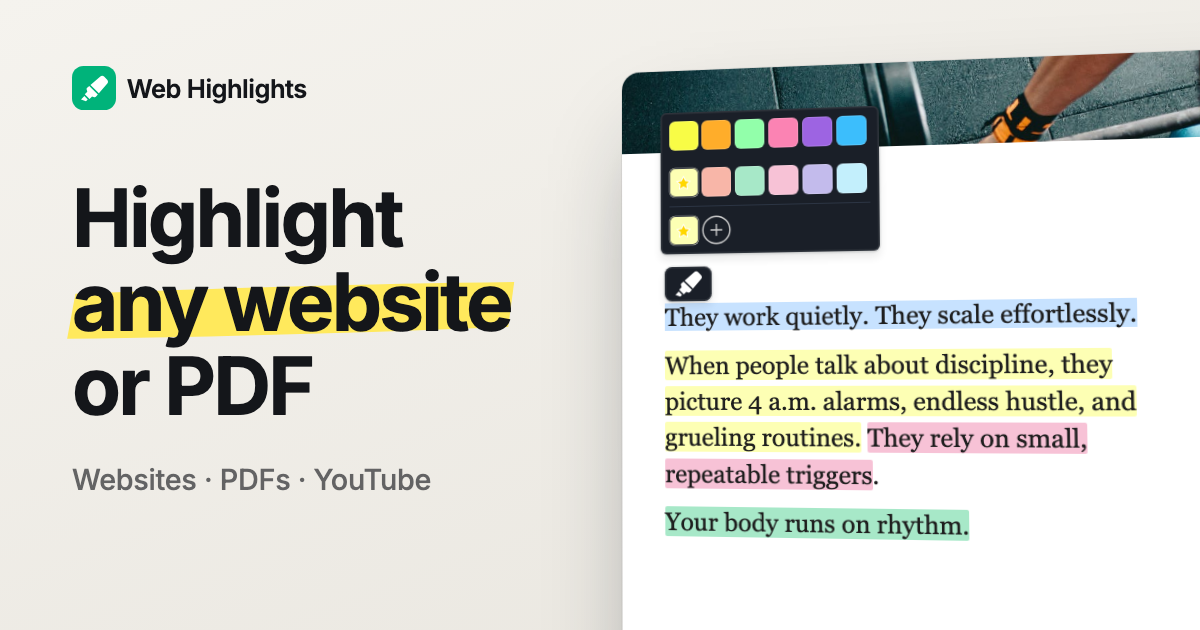
This is mine, so take it with that in mind. Web Highlights is a free browser extension that lets you highlight text on any website or PDF. Every highlight can become a real question-and-answer flashcard, and spaced repetition brings it back before you forget it.
It’s different from the others on this list in one way: your cards come from your own reading — the article you highlighted, the PDF from your course, a ChatGPT answer, your Kindle highlights. You can also let the AI built into Chrome draft the question for you, right on your device.
- Free: highlighting, flashcards and spaced repetition. Ready-made decks in the Learning Hub, and a free learner you can try without an account.
- AI: free users get a small daily number of AI-drafted cards and one AI deck a day. The free flashcard generators turn a website, YouTube video or PDF into a deck without signing up (Chrome 138 or newer).
- Paid: sync between devices is free for 7 days, then part of the paid plans — your cards stay where they are either way.
- Platforms: Chrome, Edge and Firefox (and Brave, Vivaldi, Opera), the web app, and an Android app.
Skip it if you want to bring your Quizlet sets along — it can’t import them — or if you mostly study typed vocabulary lists on an iPhone. Then Knowt or Anki fit better.
6. Gizmo — best if games keep you studying
Gizmo turns your cards into quizzes with hearts, coins and leaderboards, and uses spaced repetition underneath to decide when a card comes back. Its “Magic Import” takes a Quizlet set link and copies the set over.
- Free: unlimited cards and decks, quizzing up to 15 hearts, and Quizlet imports with a 20-minute wait between them.
- Paid: Gizmo Unlimited removes the heart and import limits. It doesn’t publish one official price — the App Store lists several, so check in the app.
7. Noji — best for studying on your phone
Noji (it used to be called AnkiPro) is a mobile-first flashcard app with spaced repetition and more than 50,000 pre-made decks. You can bring a Quizlet set over by pasting the text from Quizlet’s export.
- Free: the essentials, capped at 50 cards a day.
- Paid: Premium lifts the daily limit and adds images, audio, AI cards and offline study. Like Gizmo, it lists several prices in the App Store.
How do I move my Quizlet sets to another app?
Quizlet can export a set as plain text: open the set, choose Export, and copy the text. Most apps on this list can take that text — Anki and Noji read it directly, Brainscape takes it as a file. Knowt and Gizmo skip the step and copy the set from its page or link.
Which one should you pick?
- You want Quizlet without the paywall: Knowt.
- You need to remember a lot for a long time (med school, a language, the bar): Anki.
- You take notes anyway: RemNote.
- You learn from articles, PDFs and books: Web Highlights.
- You need a game to keep going: Gizmo.
If you want more options beyond Quizlet replacements, I also compared the best language-learning Chrome extensions and wrote about how spaced repetition works — it’s the idea behind every app on this list.
Final thoughts
Quizlet is still a good place to find a set someone already made. But if Learn mode keeps stopping halfway, you have real free options now — and moving your sets takes a few minutes, not a weekend.
I am always happy to answer questions, and I am open to criticism. Feel free to contact me at any time 😊