How to Export Safari Bookmarks (+ Restore & Import Guide)
Exporting Safari bookmarks saves every bookmark and folder into a single HTML file. The exact menu path in Safari is below, step by step. Once you have the file you can keep it as a backup, move it to another computer, or use it to restore your bookmarks in another browser or import them into Web Highlights.
Every step in Safari:
- Open Safari.
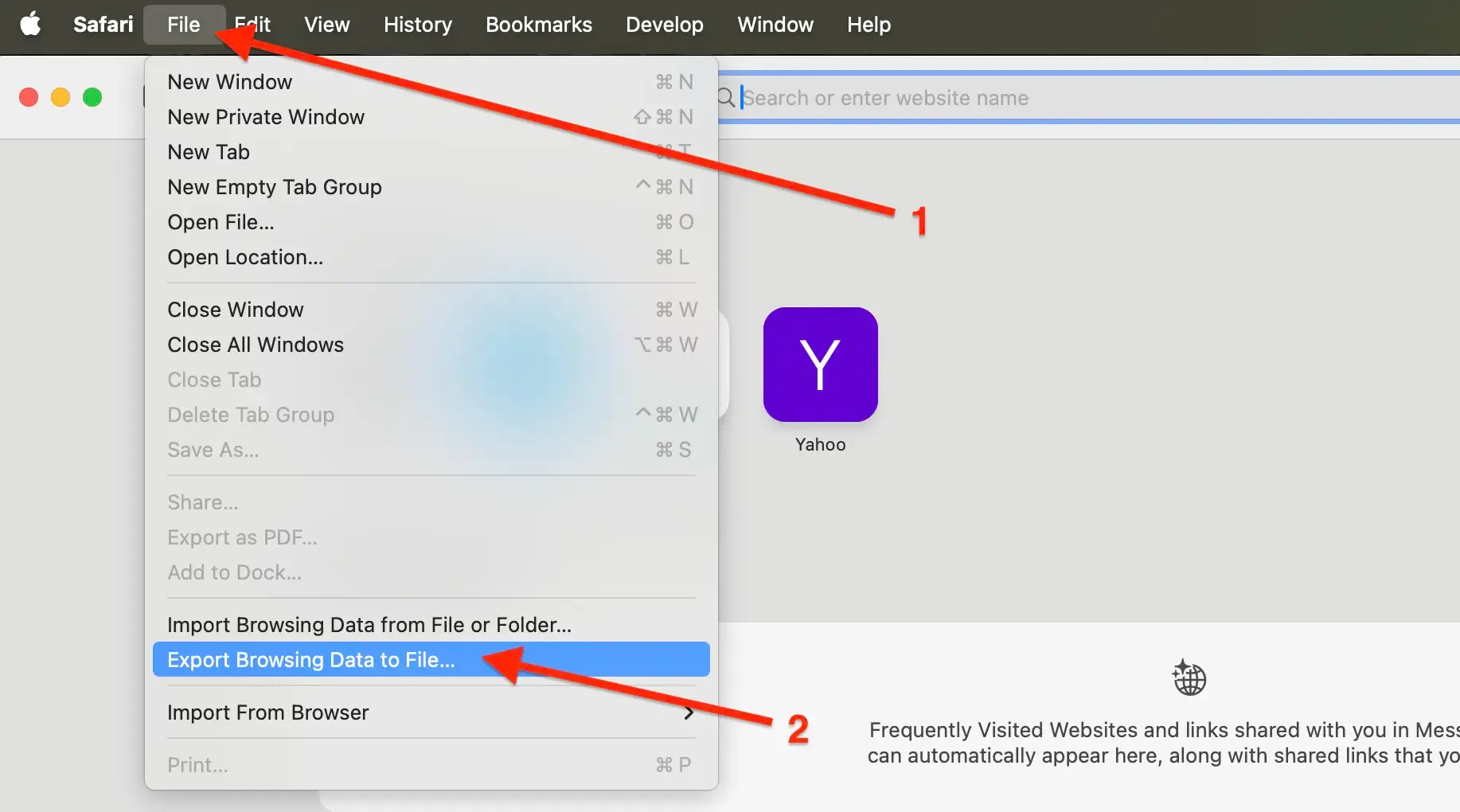
- In the menu bar, click File → Export Browsing Data to File....
- Enable the toggle switch for Bookmarks and click Export.
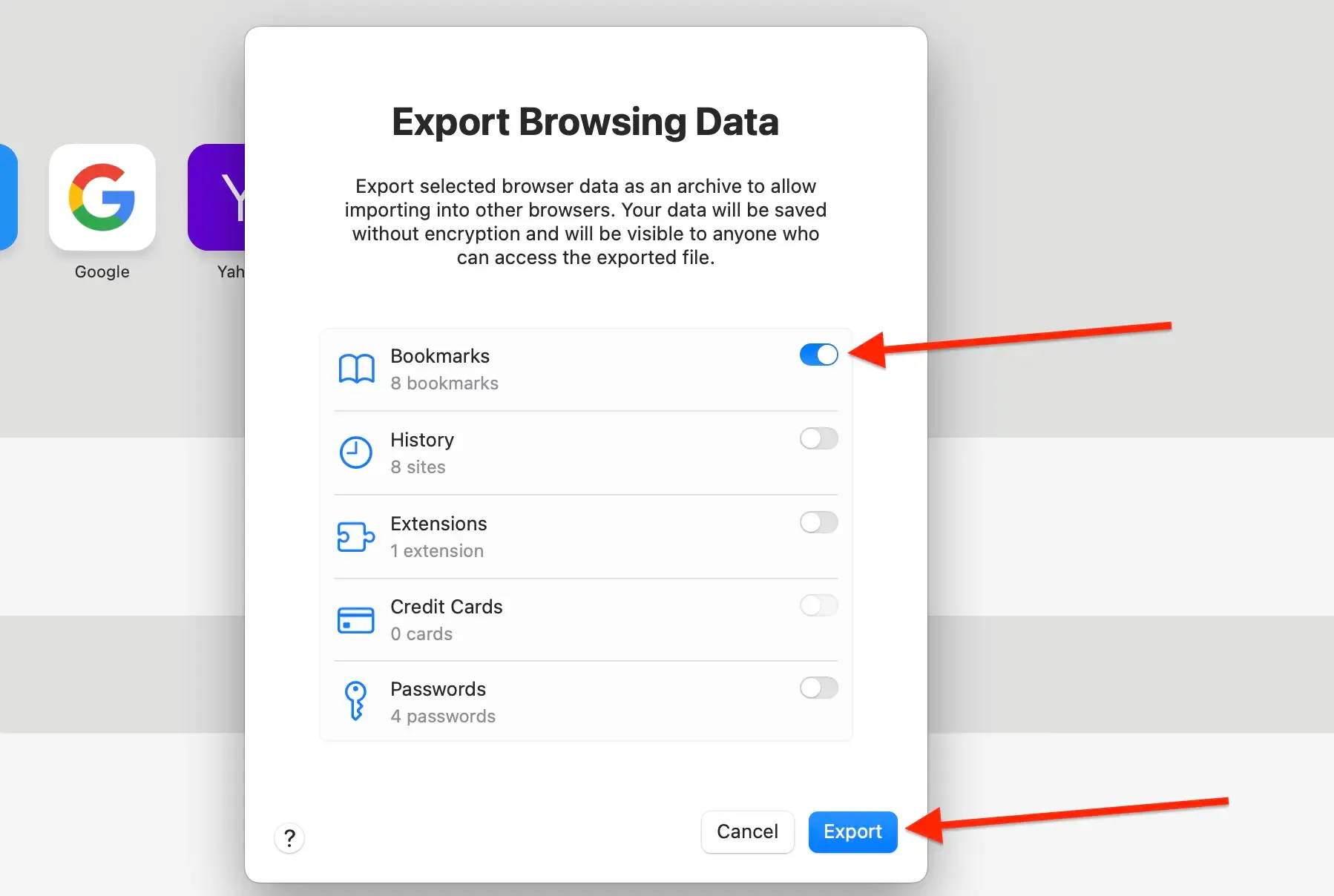
- Save the .zip file to your computer.
- Extract the .zip file to get the HTML file.
How to Restore Bookmarks in Safari
- Open Safari.
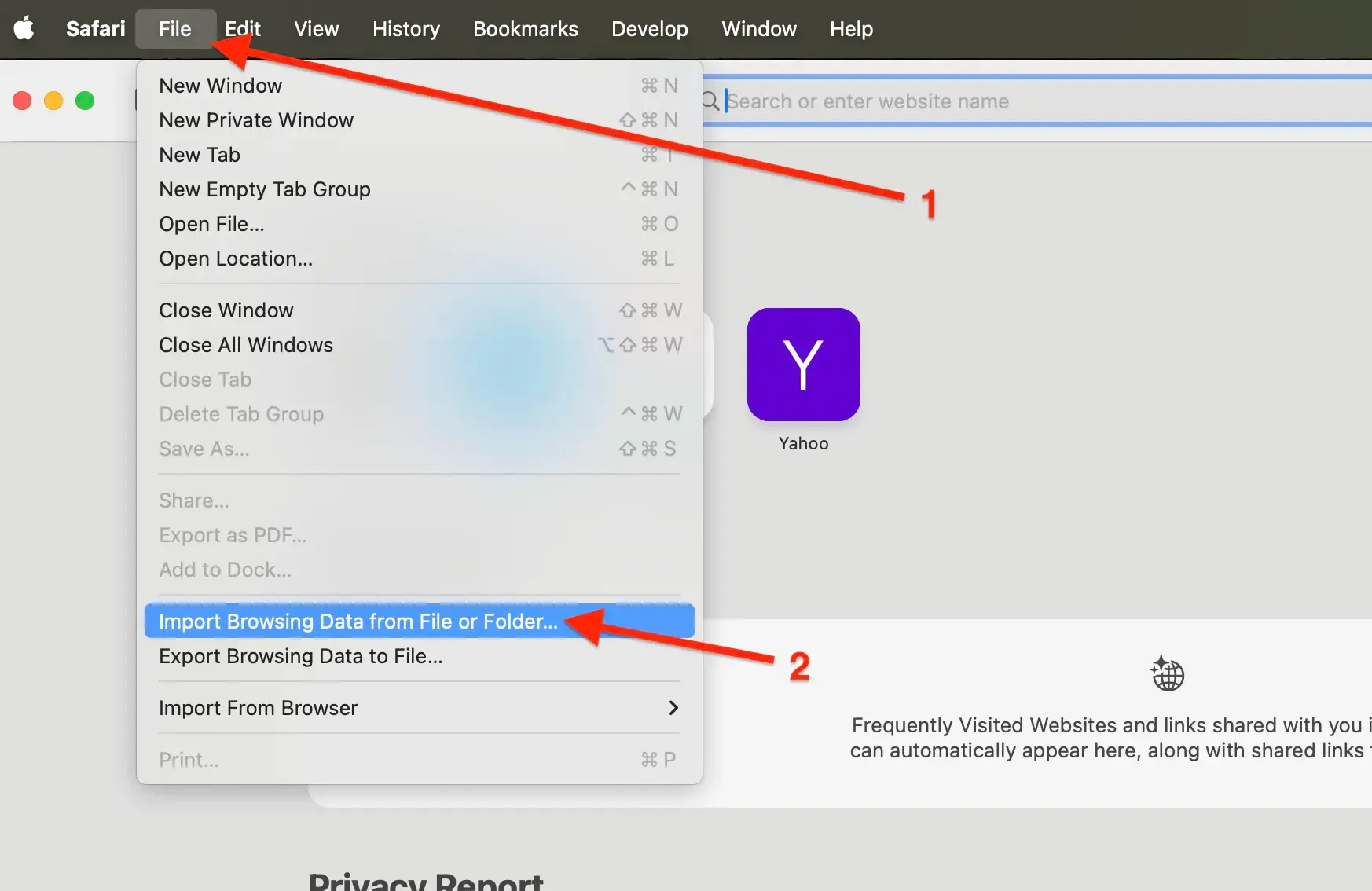
- In the menu bar, click File → Import Browsing Data from File or Folder.
- Click Choose File or Folder....
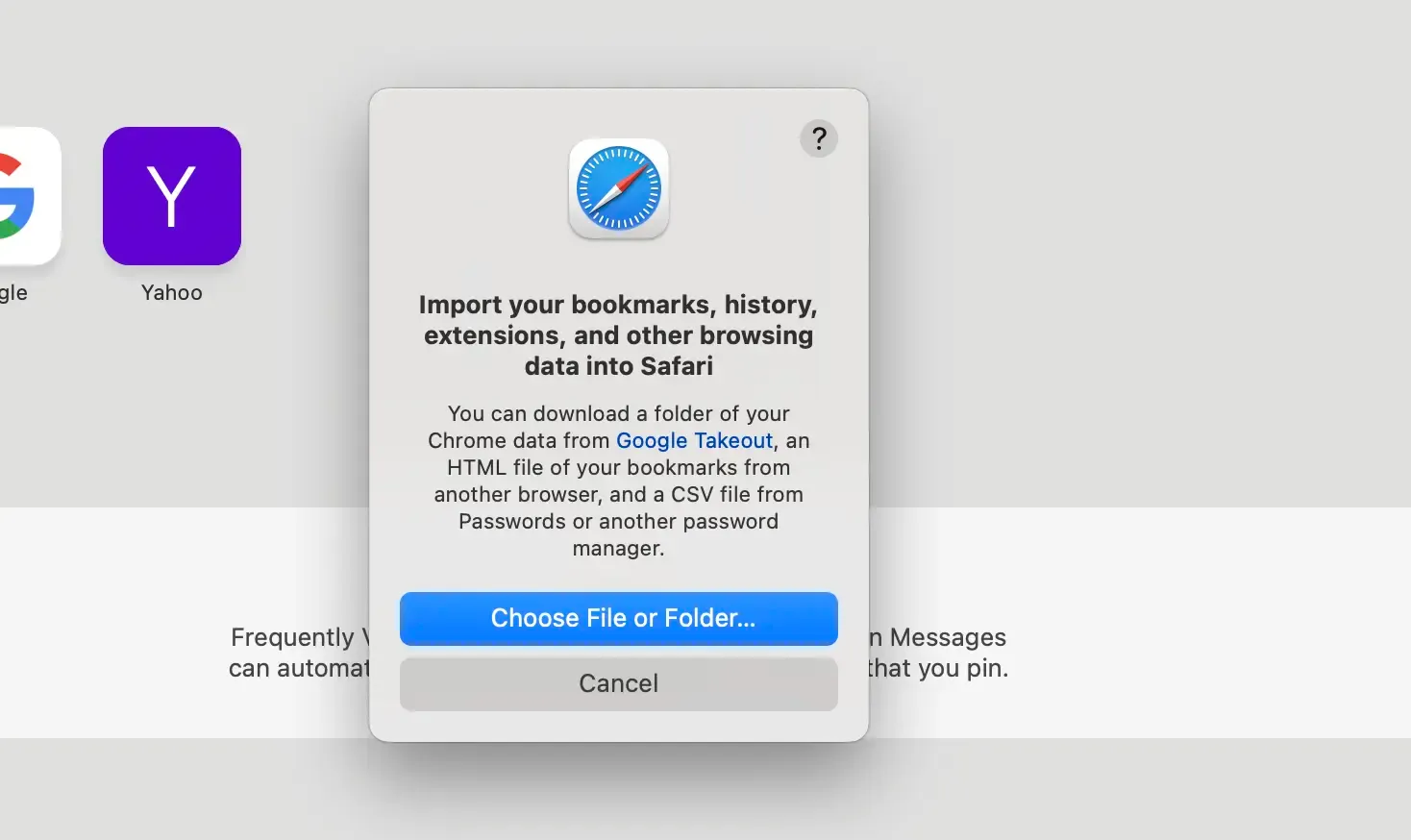
- Navigate to your local backup HTML file, select it, and click Import.
- The imported bookmarks will be added to your existing bookmarks.
Note: Imported bookmarks will be added in a new folder under Bookmarks. The name will be in this format Imported (date).
Import Bookmarks to Web Highlights
- Install the Web Highlights extension on your browser.
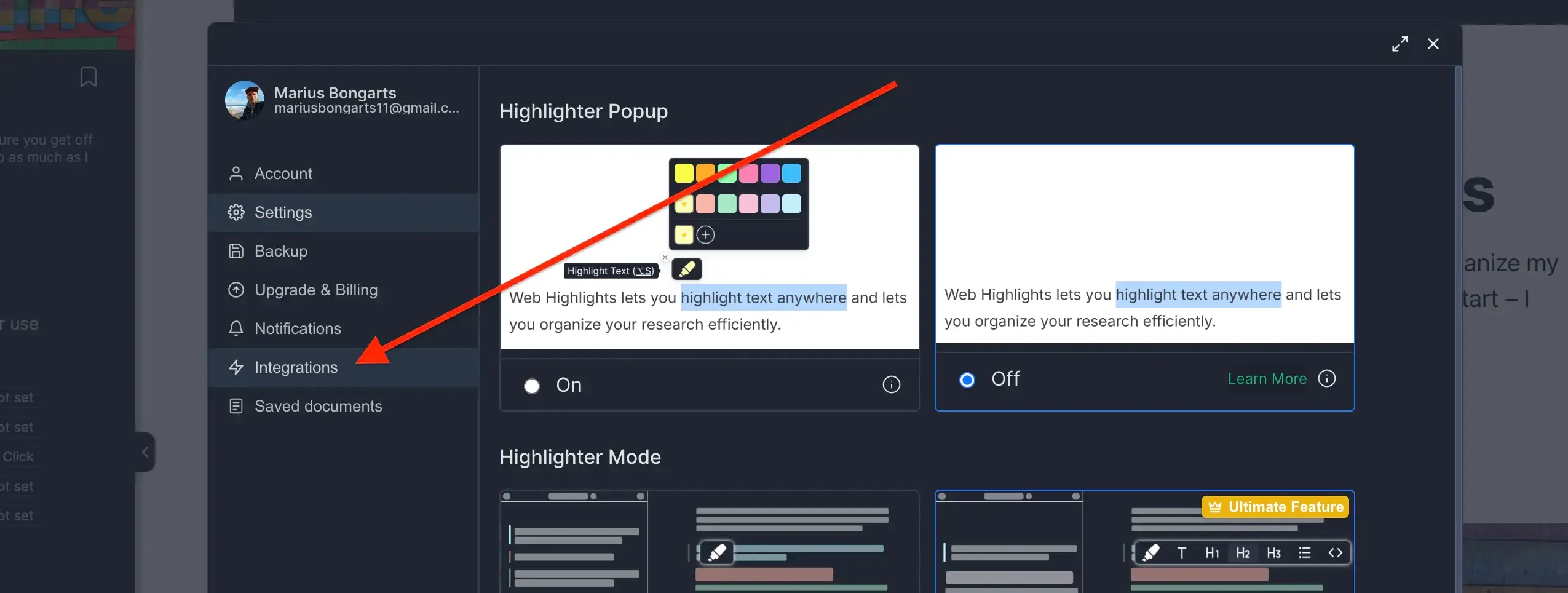
- Open Web Highlights settings.
- Go to Integrations.
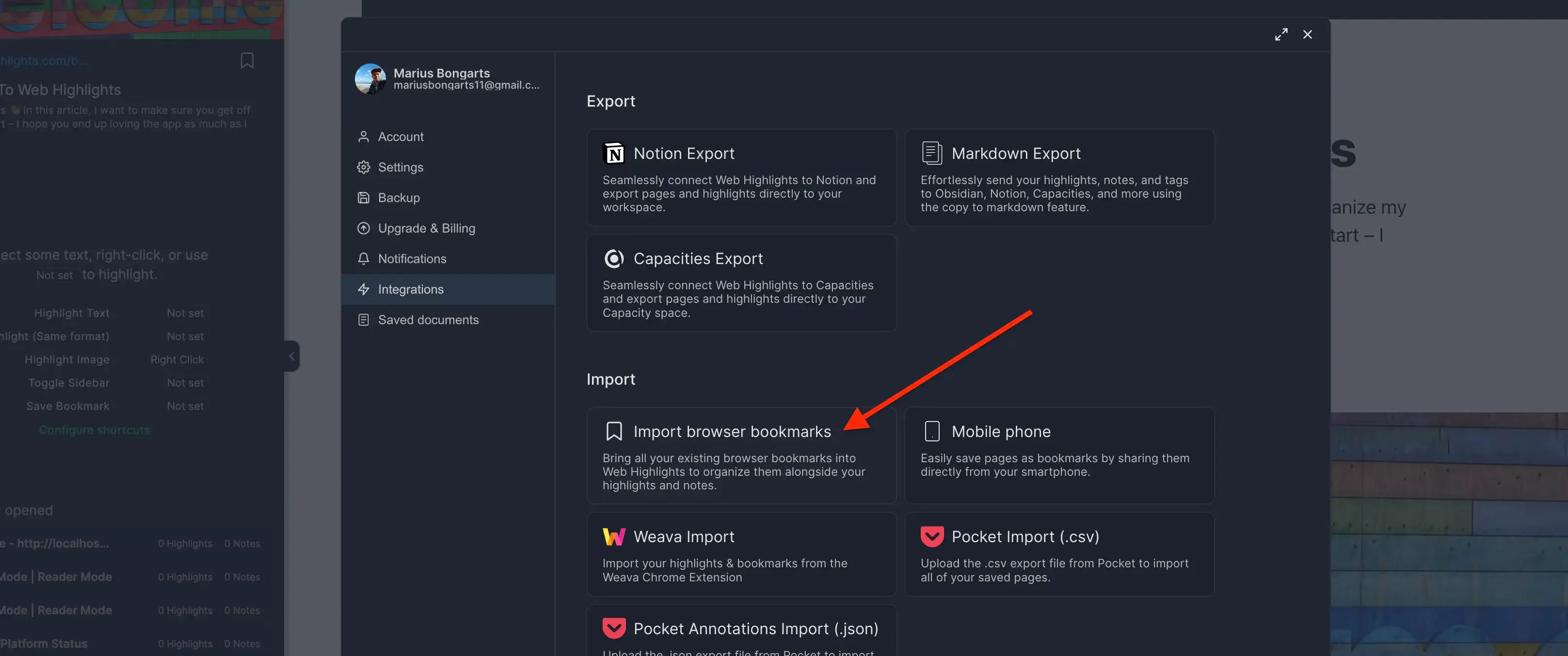
- Go to Bookmarks Import.
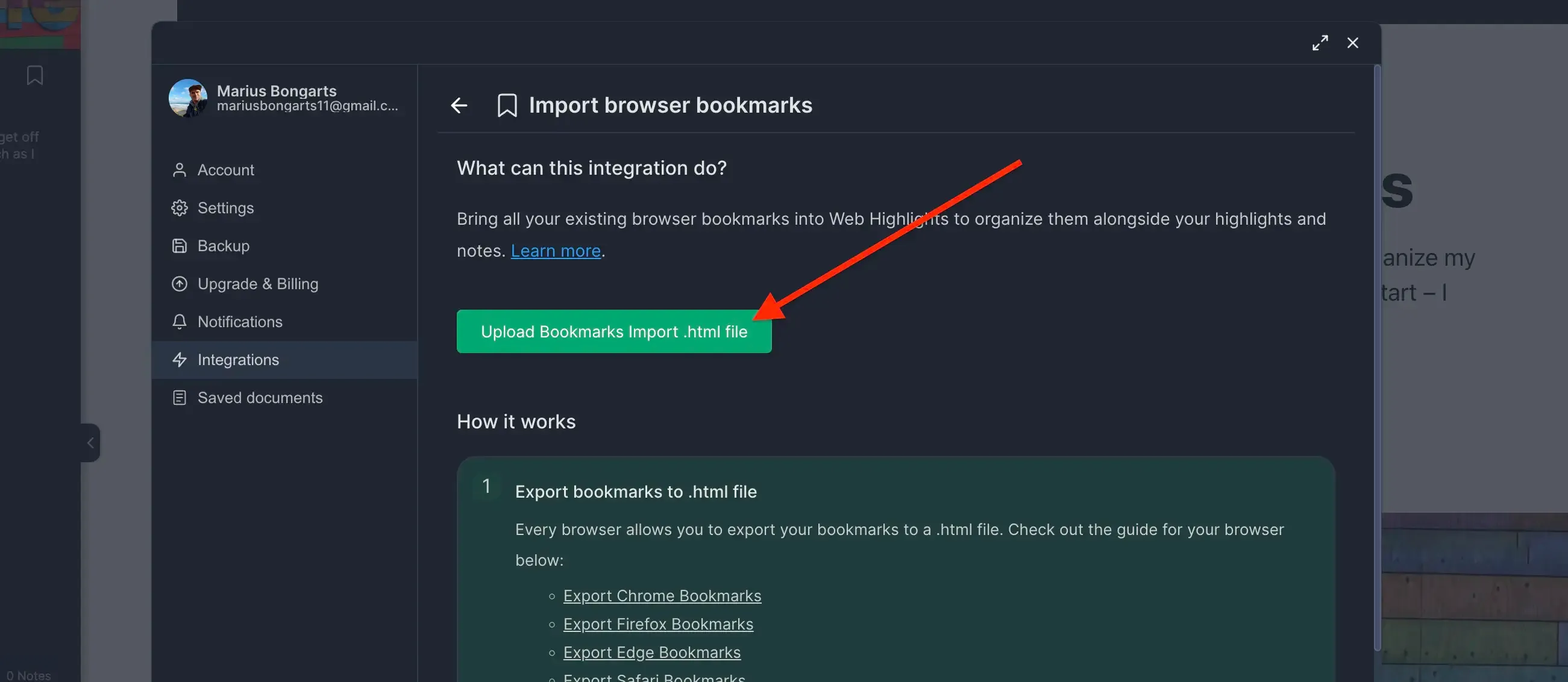
- Click Upload bookmarks file and select the HTML file you exported.
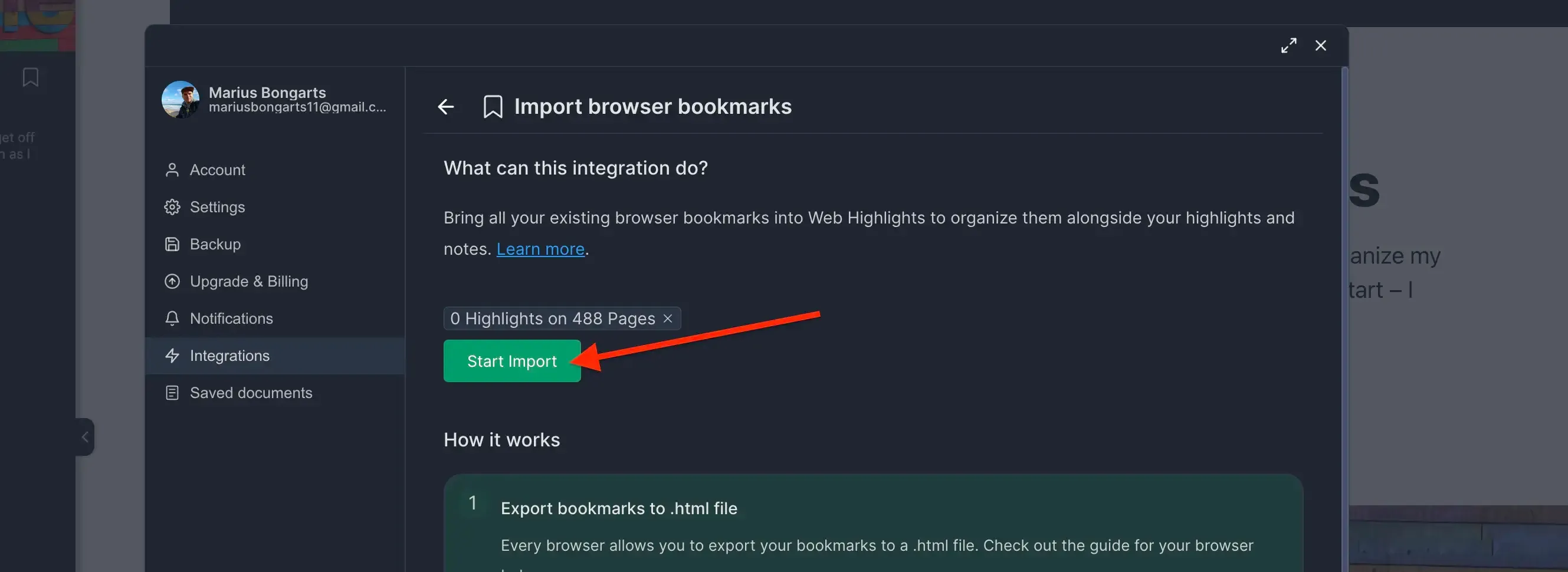
- Click Import to add your bookmarks to Web Highlights.
Need help with another browser? Check out our other browser tutorials.