How to Export DuckDuckGo Bookmarks (+ Restore & Import Guide)
Exporting DuckDuckGo bookmarks saves every bookmark and folder into a single HTML file. The exact menu path in DuckDuckGo is below, step by step. Once you have the file you can keep it as a backup, move it to another computer, or use it to restore your bookmarks in another browser or import them into Web Highlights.
Every step in DuckDuckGo:
- Open DuckDuckGo Browser.
- Mobile (Android/iOS): Tap the three dots → Bookmarks → three dots again → Export and save the HTML file.
- Desktop: DuckDuckGo desktop browser has very limited bookmark export functionality due to privacy/security design.
- Alternative: Use DuckDuckGo's Sync & Backup feature to sync bookmarks across devices, or consider manually copying important bookmarks.
- Note: DuckDuckGo prioritizes privacy, which limits external bookmark management options.
How to Restore Bookmarks in DuckDuckGo
- Open DuckDuckGo Browser.
- Mobile (Android/iOS): Tap the three dots → Bookmarks → three dots again → Import and select your HTML file.
- Desktop: Go to Settings → More Tools → Import → select Bookmarks HTML File and choose your backup file.
- Navigate to your local backup HTML file, select it, and confirm the import.
- Note: DuckDuckGo prioritizes privacy, which may limit some import options. The browser works best with HTML bookmark files.
Import Bookmarks to Web Highlights
- Install the Web Highlights extension on your browser.
- Open Web Highlights settings.
- Go to Integrations.
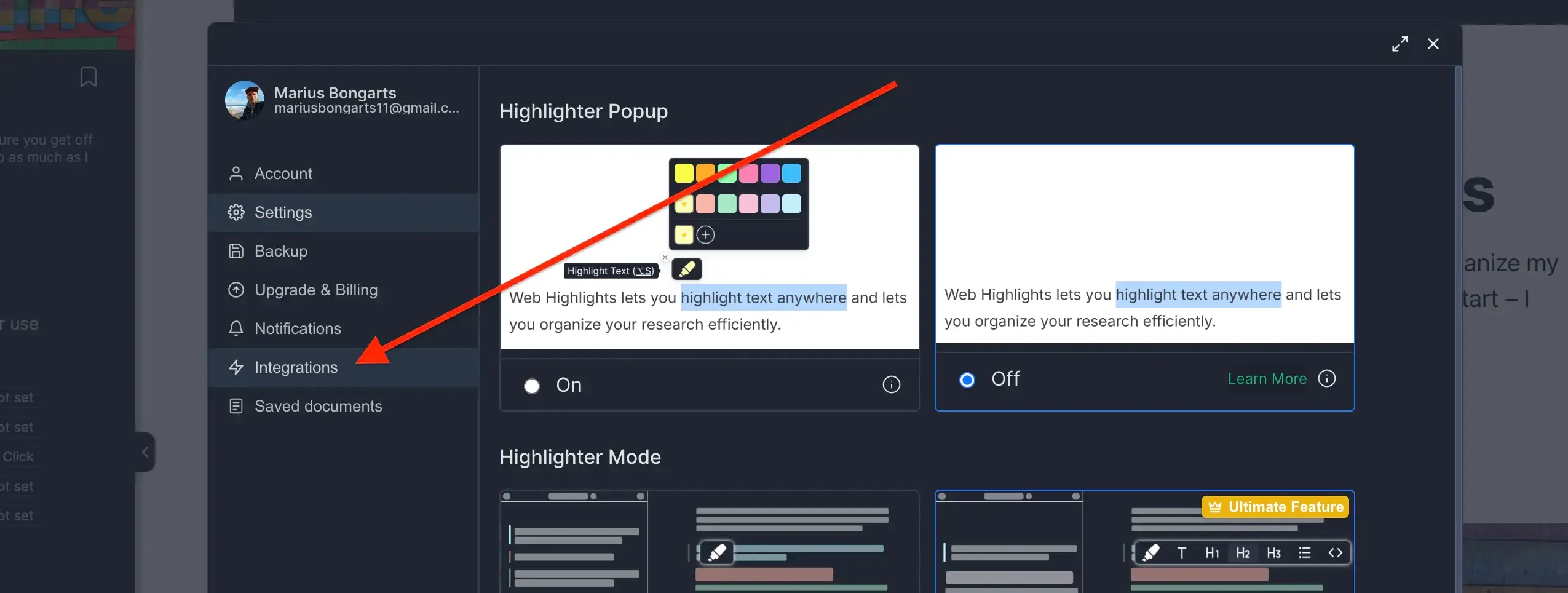
- Go to Bookmarks Import.
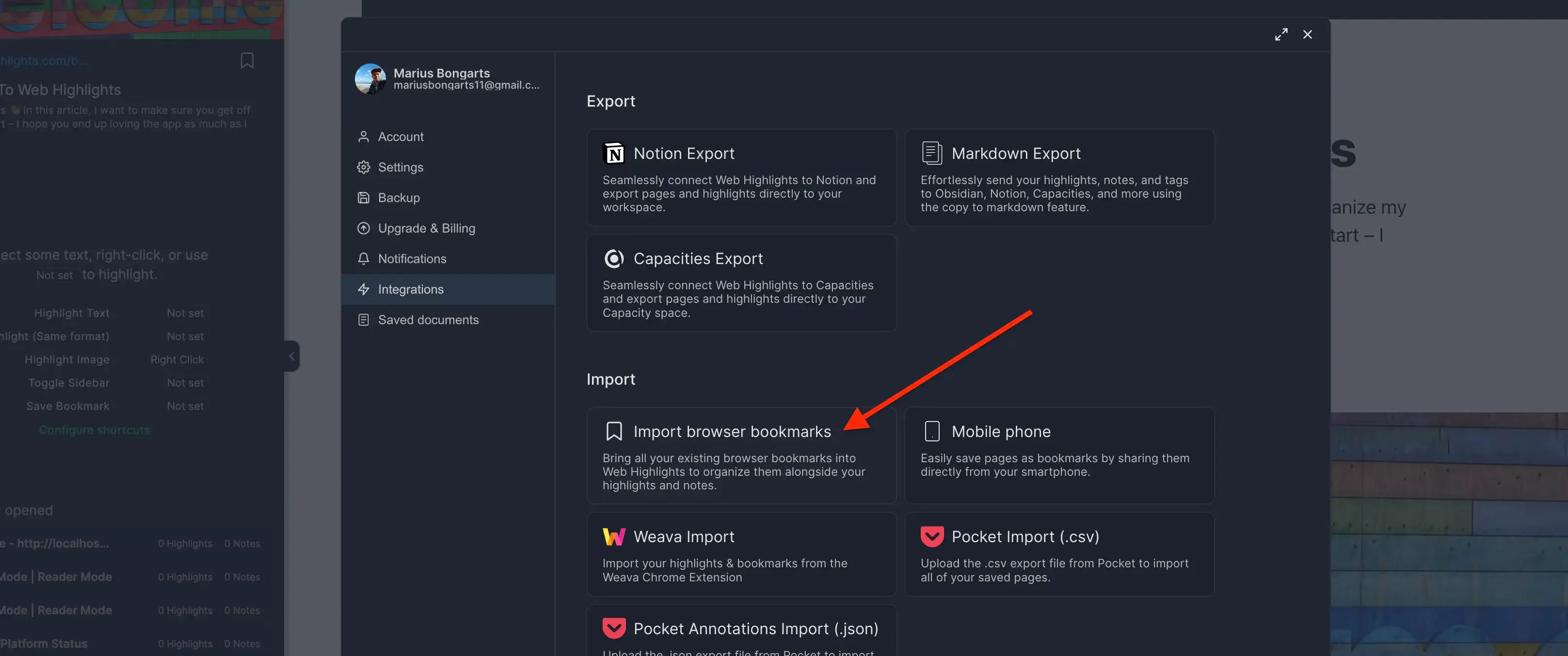
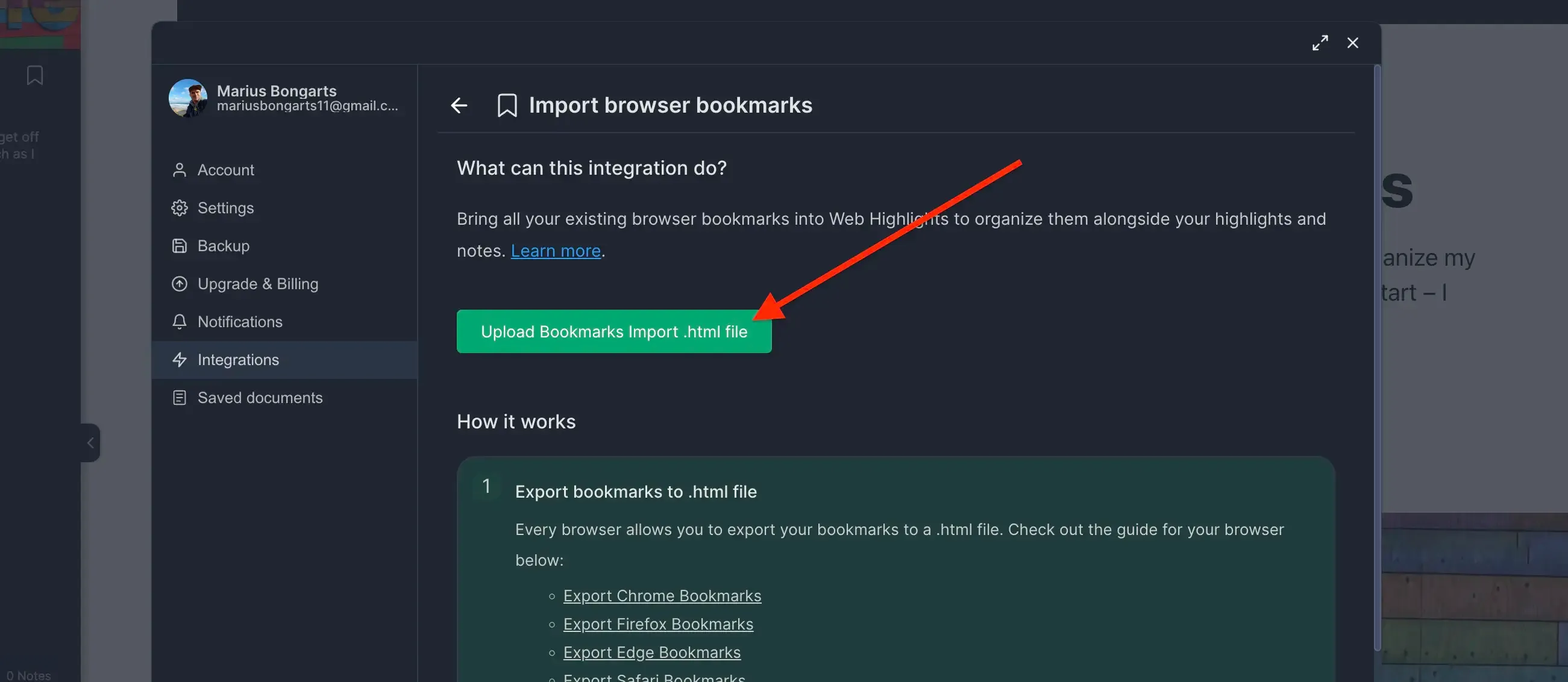
- Click Upload bookmarks file and select the HTML file you exported.
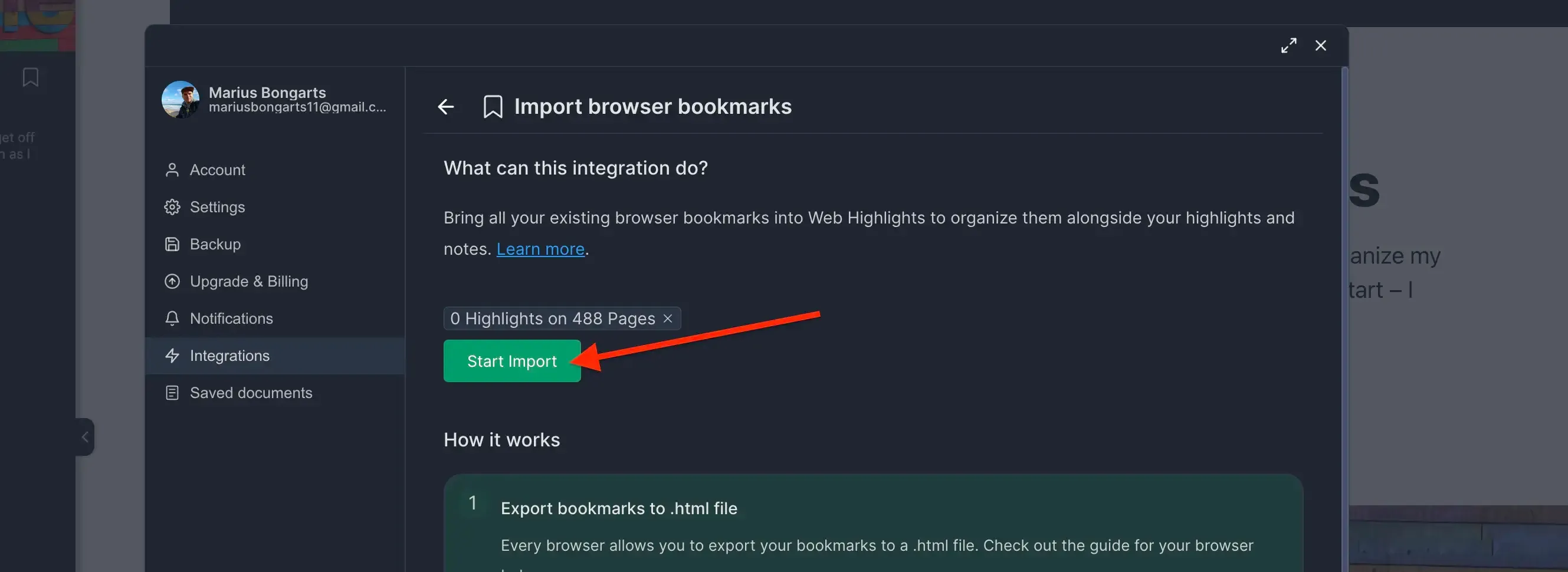
- Click Import to add your bookmarks to Web Highlights.
Need help with another browser? Check out our other browser tutorials.