How to Export Pocket Data and Import to Web Highlights
Pocket shut down in 2025 and its export closed. Already have your export file? Here's how to import your Pocket saves & annotations into Web Highlights.
24 may 2025 min de lectura
Leer más Pocket shut down in 2025 and its export closed. Already have your export file? Here's how to import your Pocket saves & annotations into Web Highlights.

Pocket, the popular read-it-later app, is shutting down in July 2025. Discover the 10 best alternatives to save, highlight and organize web content

Read any website in distraction-free reader mode. Highlight text, take notes, and export annotations—free, online, and no installation required.

Resalta y anota cualquier página web pública con nuestro resaltador gratis, sin instalar nada ni registrarte. Añade notas y copia tus resaltados como Markdown.

Learn how to read online articles without distractions using Web Highlights’ reader mode. Enjoy a clean, focused reading experience on any website.
Discover the key differences between Raindrop and Web Highlights, two powerful tools for bookmarking, annotating, and organizing online content.
Find out why Chrome turned off your extension, what it means for you, and how to choose the best alternative.

Follow the journey of three law students as they share how Web Highlights boosts their productivity. Learn why they recommend it to all law students.

Las 5 mejores extensiones para tomar notas en Chrome, revisadas en octubre de 2026: qué hace cada una, para quién es y cuáles siguen actualizándose.

UPDATE: Web Highlights has decided to remove the Mellowtel library, as it doesn’t align with our Privacy Policy. We'll look for other ways to support the environment. My top priority was always to make sure that most features of Web Highlights are free for everyone around the world. I am proud that the free version is already helping over 150,000 users to learn, stay organized, and do research. At the same time, I want to keep this extension ad-free. To cover the running costs without affectin

Learn the best text annotation tools for researchers and academics. Improve your research organization and productivity through tags, notes, and highlights.

Learn how to use productivity tools like Web Highlights to increase your productivity. Organization with tags, take notes and optimize online learning.

Get the most out of Web Highlights with 5 powerful highlighting tips! Learn to disable the popup, use shortcuts, customize your sidebar, and more.

Learn 10 practical annotation examples to improve your reading experience. Annotate texts effectively with tips on highlighting, text data labeling, and more.

Captura y guarda contenido con los mejores Web Clipper para Chrome. Las 10 extensiones más útiles para mantener tus recursos online ordenados y a mano.

Easily add link previews to any website using the open-source Previewbox library. Works with any framework, fetching Open Graph data automatically.

Transform your Obsidian into an AI-powered second brain using Cursor! Learn how to integrate AI for smarter note searching and management.

Unlock the power of Tiago Forte's CODE method and organize your second brain for better productivity using the Web Highlights Chrome Extension
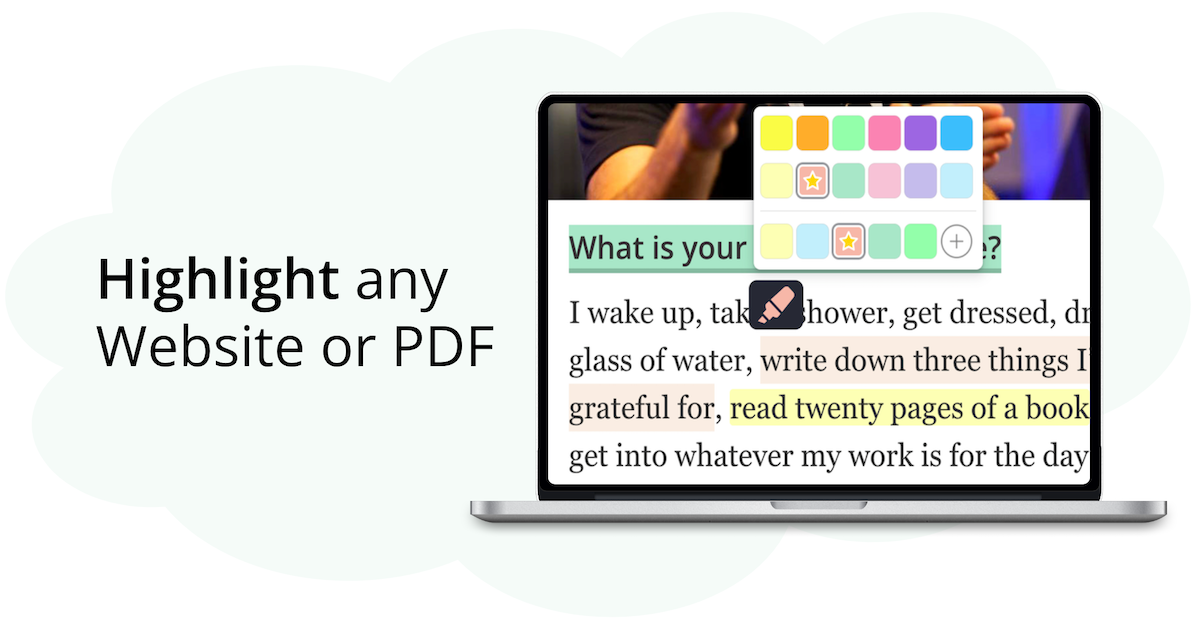
Discover why Web Highlights is the top Weava alternative in this detailed review, offering a secure and customizable annotation tool customized to your needs.

Learn how to create study guides using Web Highlights by highlighting, organizing, and summarizing key information. Simplify your study process now.

Feeling overwhelmed by digital chaos? Explore the PARA Method by Tiago Forte and learn how to organize your digital second brain for a more productive life!

Discover how a bamboo tree can inspire solopreneurs to stay motivated on side projects. Learn the value of delayed gratification on the journey to success.

Learn how to annotate online articles in 5 simple steps using Web Highlights. Get features like tags, notes, and export tools for researchers.

Learn how to save bookmarks from your phone using Web Highlights. Our web app will help you bookmark any important content and keep track of it.

Looking for the best Chrome highlighter? Explore our top 10 picks to highlight text, add notes, and manage highlights. Organize your work today!