Have you ever found yourself nodding along with an article, fully convinced you’ve absorbed every brilliant word, only to realize later that your memory has decided to erase everything? It’s a common problem we all face — the tendency to forget information we don’t use daily or regularly.
We forget 80% of what we read once
The Forgetting Curve
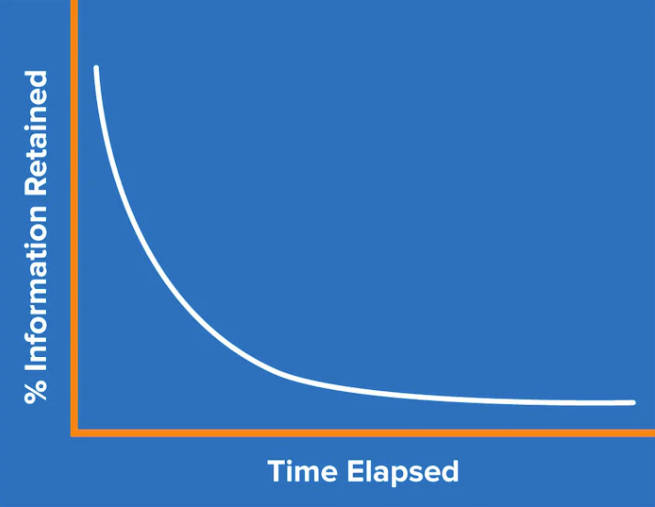
According to a study conducted by Ebbinghaus in 1885, commonly known as the “Forgetting Curve,” it was found that we tend to forget approximately 80% of what we read once.
The forgetting curve is a chart showing that the chances of remembering memorized information decrease significantly over time:
There is also good news — the study reveals that with every repetition, the ability to recall information increases. In other words: It will take you longer to forget the information again.
By consistently reviewing your learned information at the appropriate intervals, you can halt the notorious Forgetting Curve.
Spaced repetition is based on the principle that our memory is strengthened when we revisit information at strategic intervals, allowing us to combat the forgetting curve.
Using spaced repetition , the forgetting curve will now be halted for each review, and every new curve is shallower than the last one:
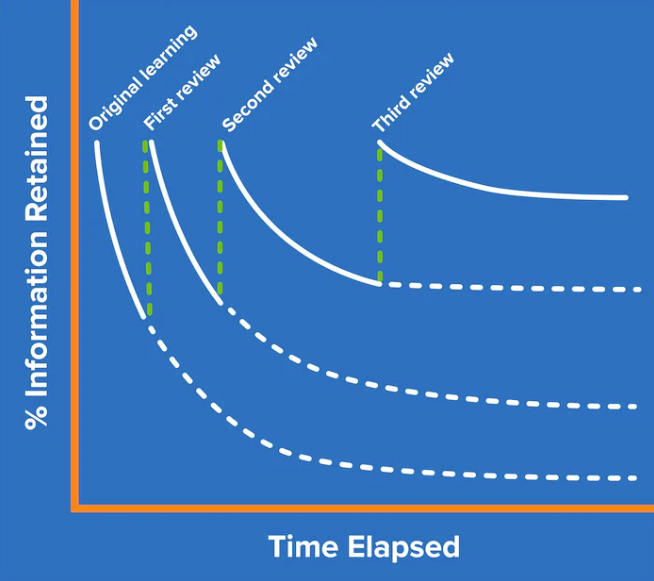
By reviewing your gained knowledge, you will significantly increase the chances of getting information into your long-term memory.
However, when applying the spaced repetition principle, crucial to strike a balance when conducting these reviews. You should revisit your learnings when your ability to recall them has significantly declined, but not so frequently that you find yourself starting from square one.
But, how do we know when to review our learnings? Let’s take a look at the SuperMemo algorithm and how Web Highlights integrated it.
Optimizing Review Timing with the SuperMemo Algorithm
As we just learned, it’s vital to find the perfect timing to review your learnings.
The so-called SuperMemo algorithm is a spaced repetition learning method created by Piotr Woźniak, who needed a better way to learn biochemistry and English vocabulary.
Think of the algorithm as a traditional flashcard learning method. Here's how it operates:
- A new learning item is introduced.
- The learning item undergoes its initial review.
- The user provides feedback on their recall of the information, indicating whether they remember or don't remember it.
- If the user successfully recalls the information, the algorithm extends the intervals before the next repetition, aiming to reinforce the knowledge effectively.
- Conversely, if the recall is weaker, the algorithm reduces the intervals to enhance reinforcement and improve retention.
Highlight Online Articles And Remember Them
Let's put the theory aside and focus on incorporating spaced repetition and flashcard learning into your daily routine.
I have been using the PDF & Web Highlighter “Web Highlights” now for years, and I really love to highlight important or interesting parts of articles. However, I realized that I rarely recall the highlighted information. Now, with the new spaced repetition feature, it’s very easy.
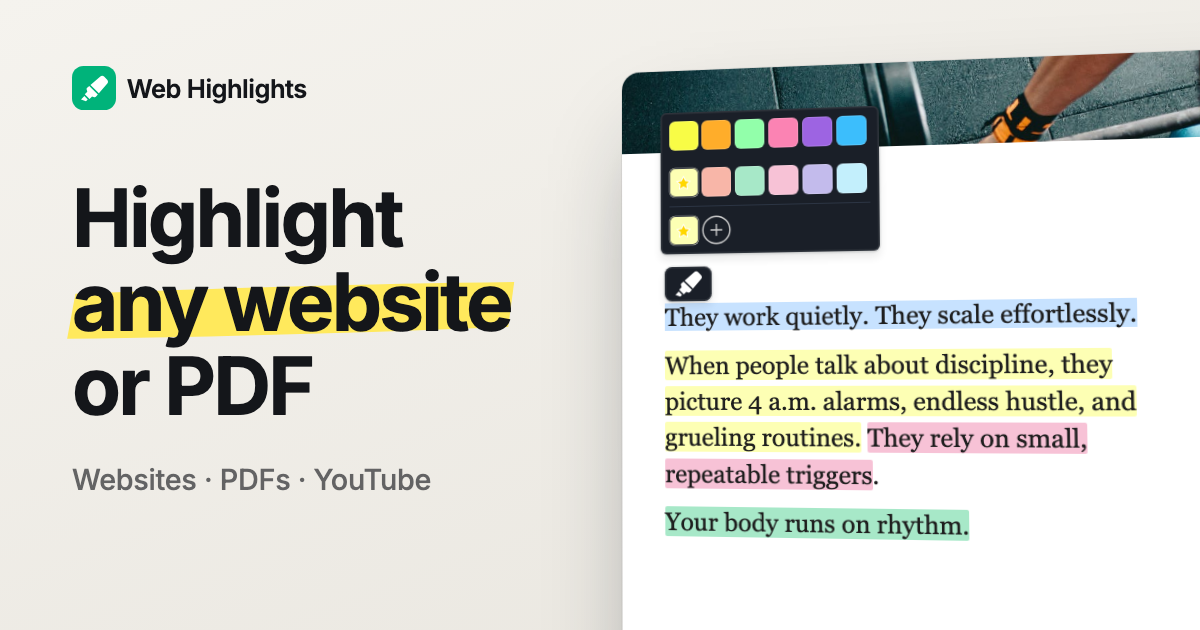
For example, if you read something interesting online, you could easily highlight this information using the Web Highlights Chrome Extension :
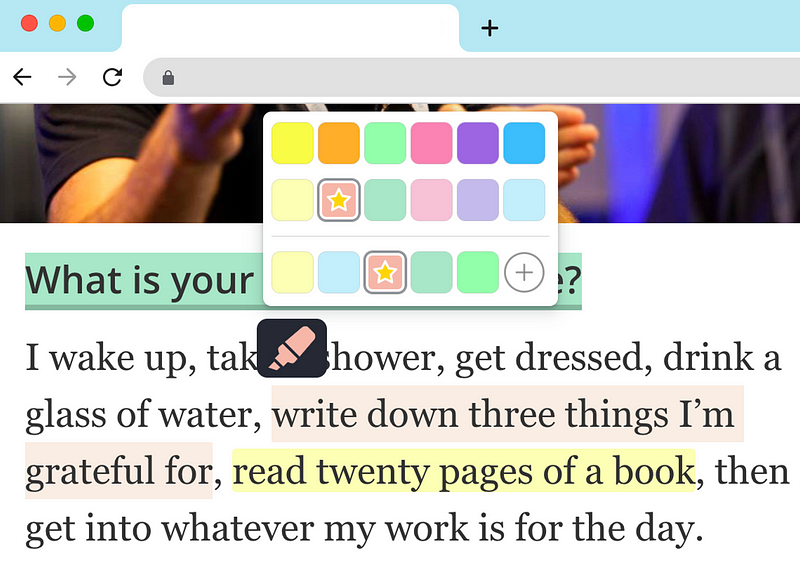
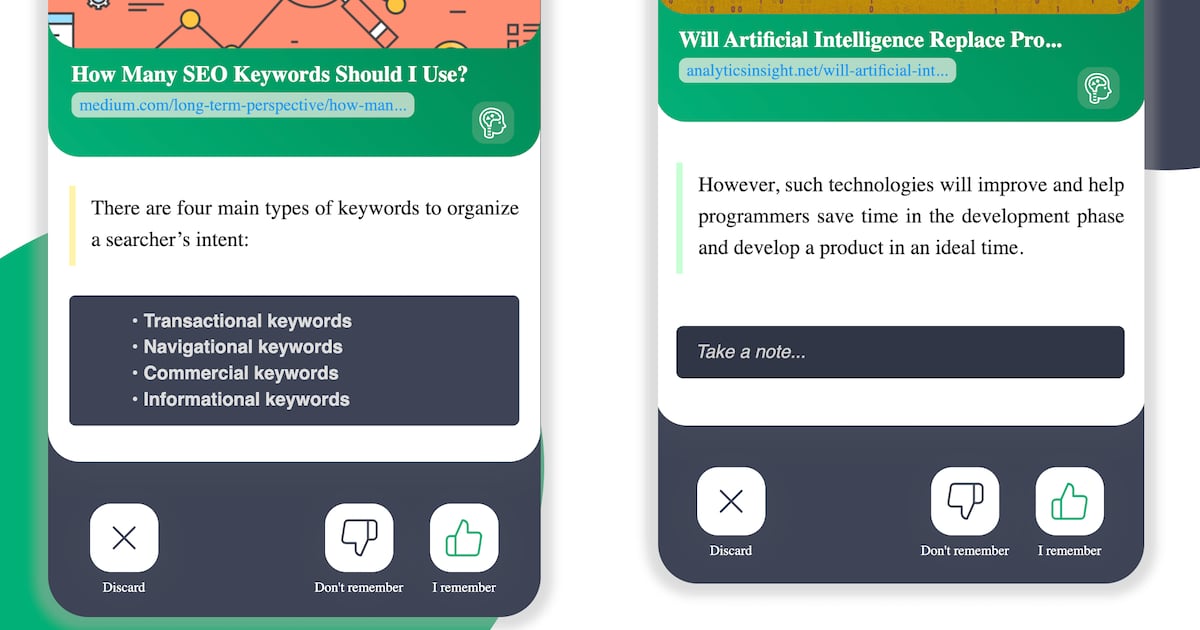
Web Highlights will automatically transform your highlights into flashcards and bring them forward to you in your daily recap. Your daily recap will contain ten highlights every day but you can always choose to learn more.
To begin your learning session, simply access the sidebar of the Chrome extension or the learning section of the web app .
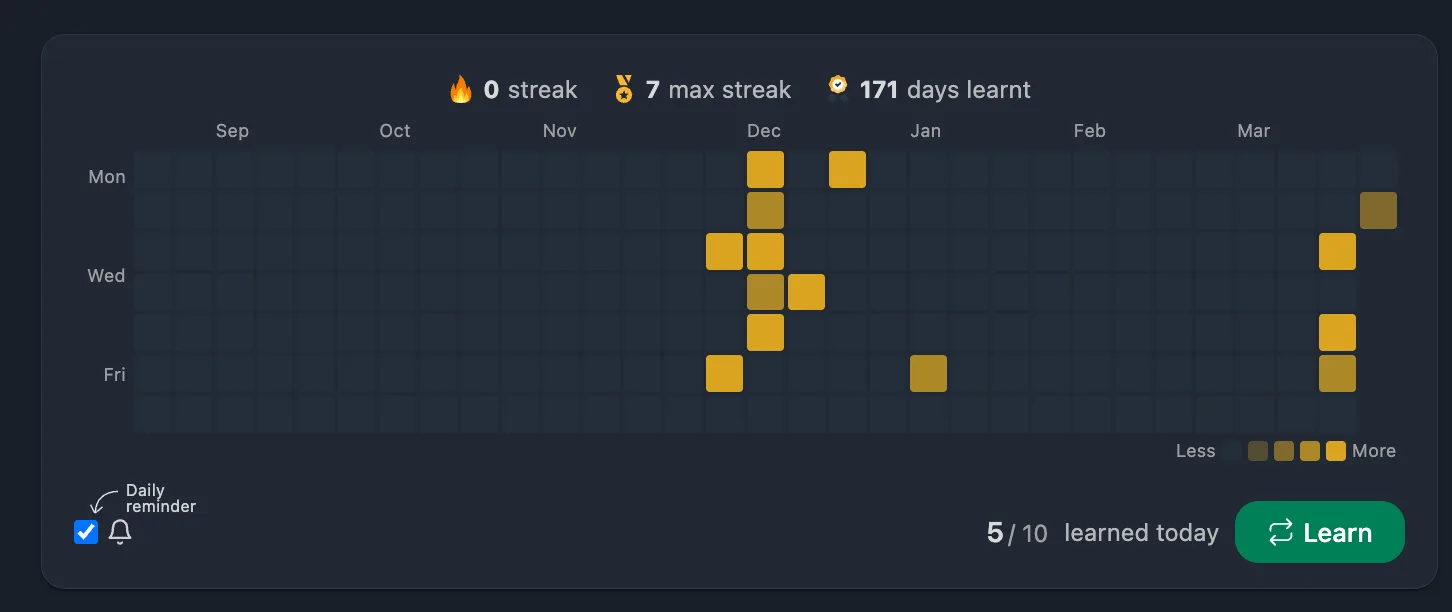
If you'd rather watch, this 48-second video goes through a full session, from the brain icon in the sidebar to rating the cards:
During a learning session, you have the option to provide feedback for each learning item by choosing one of three actions:
- Know it : You remembered the content. Your confidence increases and the next review is pushed further into the future.
- Don't know : You could not recall the content. Confidence decreases, and the item comes back sooner for extra practice.
- Discard : This highlight is not worth reviewing anymore. It will be removed from future sessions entirely.
In the example below, we successfully recalled our highlight for the first time, resulting in an increased confidence in our ability to retain it. The highlight will reappear for review in 3 days.
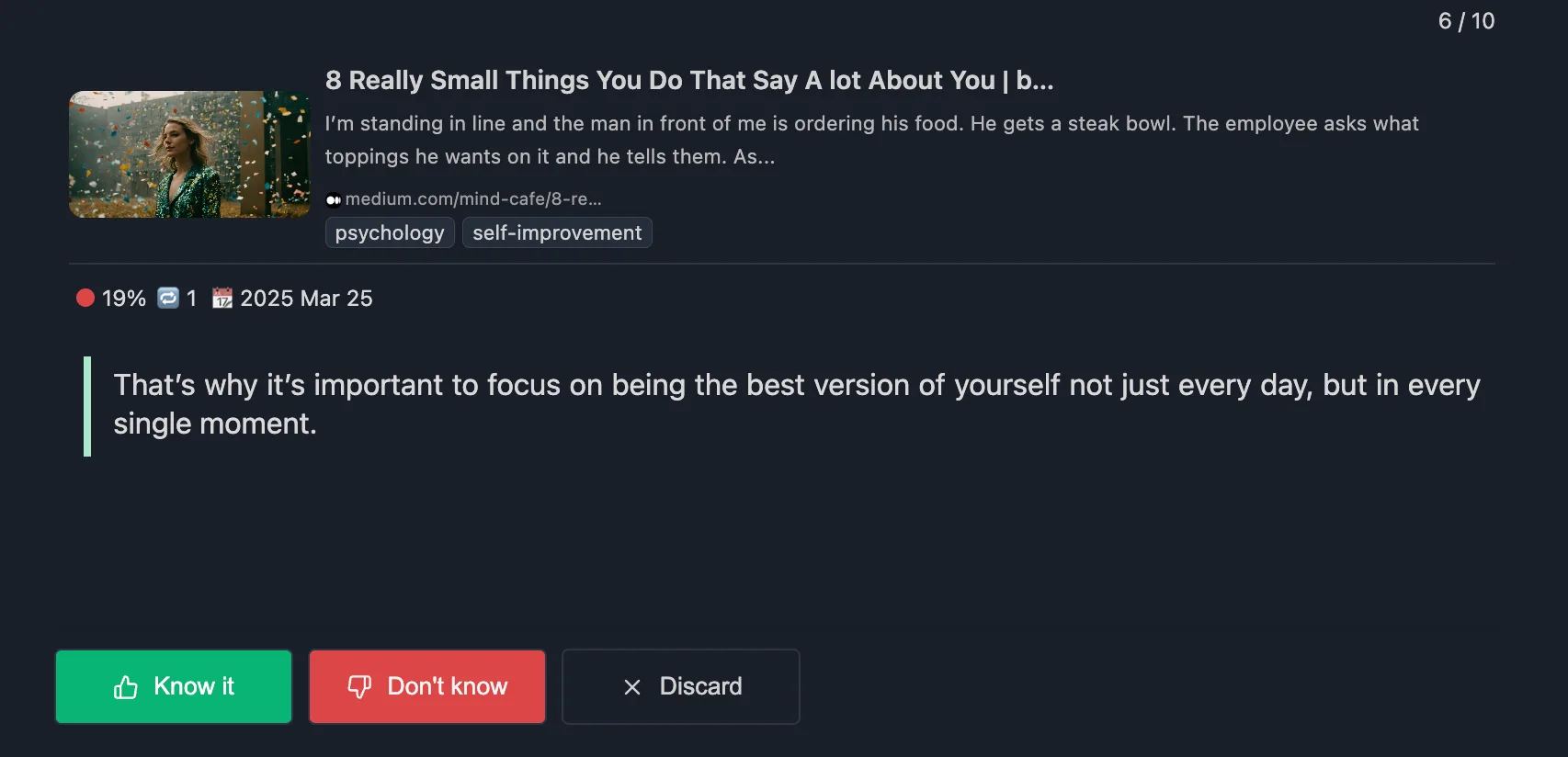
If, after three days, you can recall the significant details, it will determine a review date that is significantly farther in the future, such as ten days. Subsequently, the review cycle may extend to around 30 days, and so forth.
However, if you cannot recall an item, your certainty will decrease and the cycle will restart. In such instances, the item will be reviewed again on the following day.
After around five successful repetitions, an item is to be considered as anchored in your long-term memory by the “Forgetting Curve.”
Track Your Progress with Confidence Scores
Web Highlights derives a confidence score (0–100 %) from your easiness factor and number of repetitions. You can see exactly how well you know each highlight — and how your knowledge is distributed across your entire library.
Here is how confidence maps to your learning status:
- 80–100 % — Long-Term Memory
- 60–79 % — Confident Recall
- 40–59 % — Good Recall
- 20–39 % — Moderate Recall
- 1–19 % — Likely to Forget
- 0 % — Not Yet Learned
These scores are displayed for each highlight individually, aggregated per website and tag, and as an overall score across your entire library. It’s a simple way to see where your knowledge is strong and where it needs more review.
Learning Streaks
Consistency matters more than marathon sessions. Web Highlights tracks your learning streak — the number of consecutive days you have completed at least 10 cards. The learning dashboard shows your current streak, your longest streak, and a contribution graph of your learning activity over time.
Even two or three minutes a day adds up. The streak is a small nudge to keep you coming back, and it works.
The Learning Dashboard
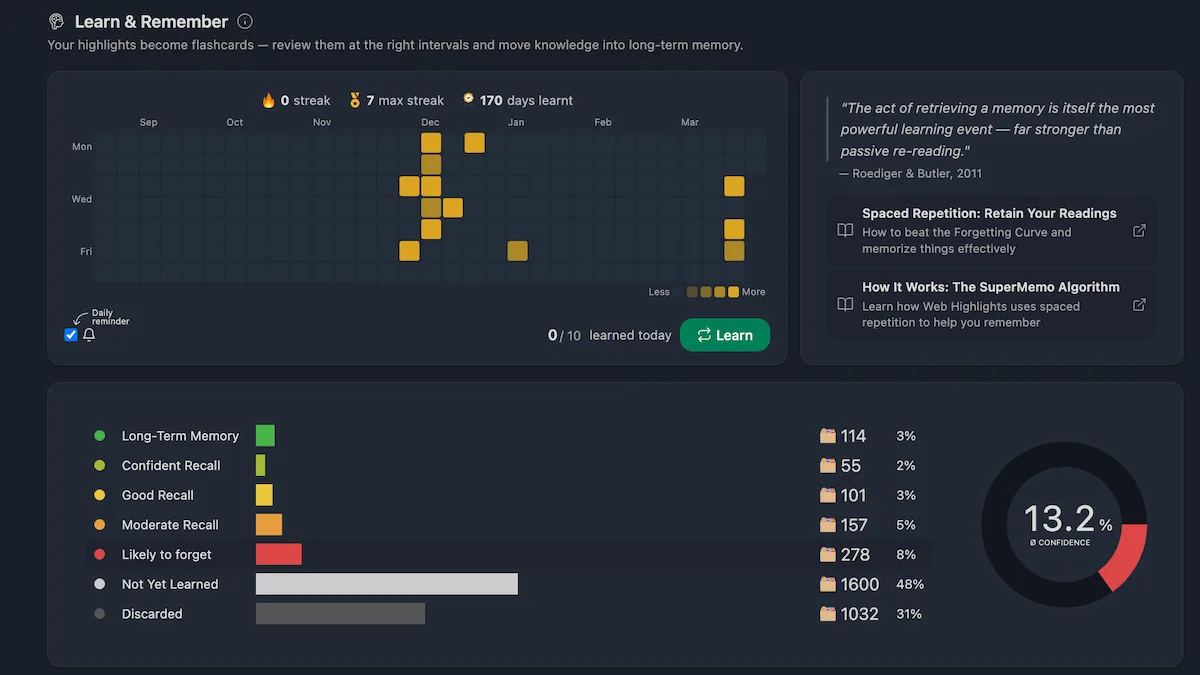
If you want a full overview of your learning progress, the learning dashboard gives you everything in one place:
- Schedule — Cards due today, tomorrow, and total counts
- Confidence breakdown — How your highlights are distributed across confidence levels
- Categories — Filter flashcards by website or tag to focus your session
- All highlights — A sortable list of every learning item with its confidence score, next review date, and source
You can access the dashboard from the Chrome extension sidebar or the learning section of the web app .
Final Thoughts
Sometimes just reading an informative article isn’t sufficient as we tend to forget around 80% of what we read. By utilizing the PDF & Web Highlighter Chrome extension , you can not just mark noteworthy sections of online articles or PDFs, but also retrieve those highlights later to ensure they are retained in your long-term memory.
Install the extension for free , and start highlighting on any webpage or PDF, create tags, and take notes. Share your research and export it to HTML, Markdown, and PDF.
I hope you enjoyed reading this article. I am always happy to answer questions and am open to criticism. Get in touch with me via LinkedIn or follow me on Twitter . Also, check out my PDF & Web Highlighter Chrome extension if you haven’t.